
You've probably tried to post daily by making one video from start to finish every day. The pattern is predictable: a quick idea becomes a long prompt session, the first render needs revisions, captions take longer than expected, and publishing turns into another manual task. By the time the video goes live, you're already thinking about tomorrow's post.
Batch creation changes the unit of work. Instead of treating every short-form video as a separate project, you build a small production system around repeatable prompts, reusable visual formats, AI-assisted edits, and scheduled publishing. That approach is especially useful for faceless YouTube Shorts, TikTok videos, Instagram Reels, and AI-generated UGC-style clips, where consistency matters but trends can change quickly.
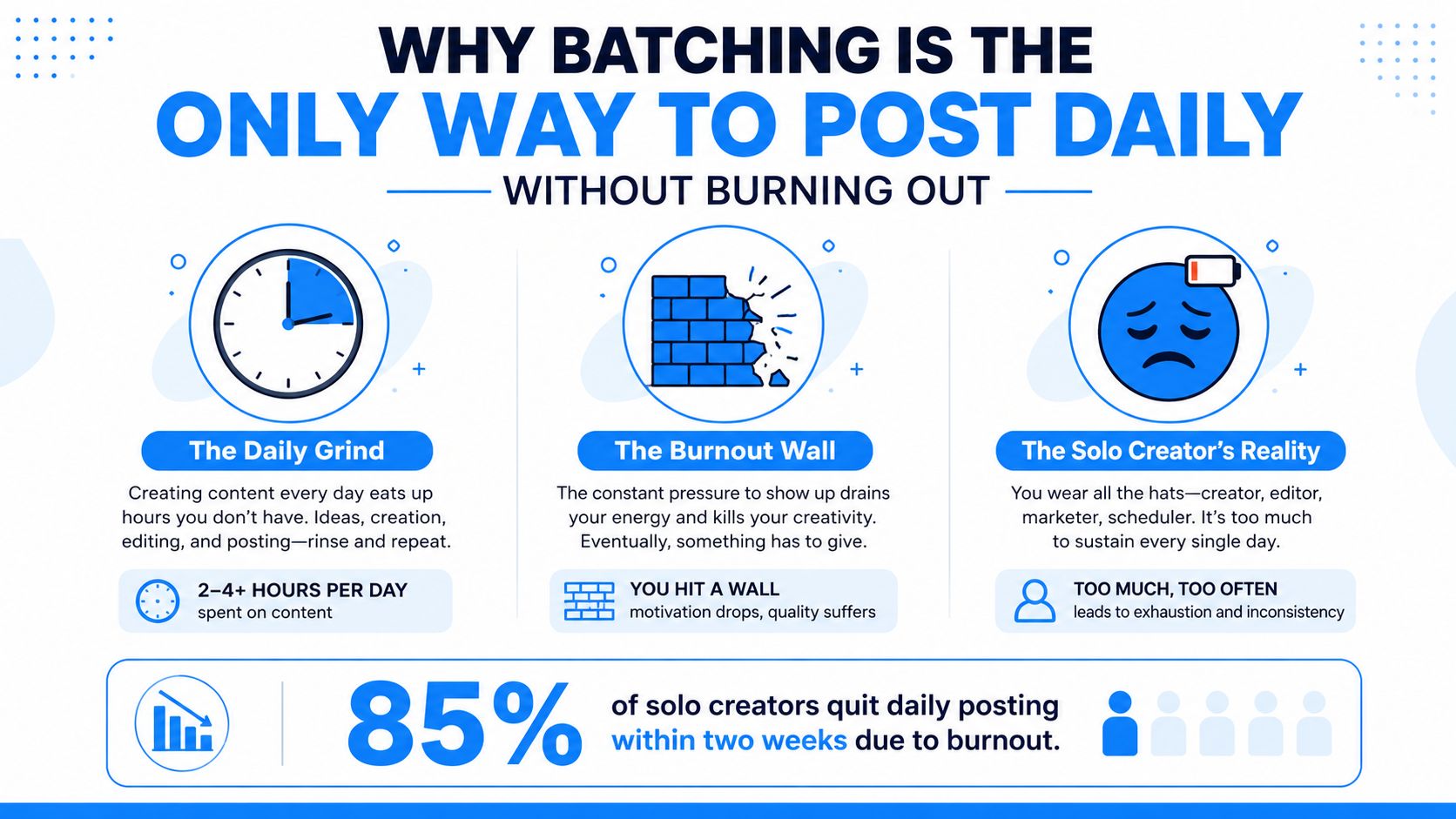
Why Batching Is the Only Way to Post Daily Without Burning Out
Daily posting becomes exhausting when every task requires a new decision. You choose a topic, write a hook, create a visual direction, generate clips, edit the result, add a voiceover, write the caption, and publish. Repeating that entire chain from scratch keeps you in reactive mode, even when the individual videos are short.
Batching separates those decisions into focused phases. You generate ideas together, write prompts together, produce visuals together, and schedule finished assets together. A guide on content batching as a time-efficiency strategy describes a workflow where producing 10 social posts in a dedicated session took about 2 hours, compared with 4 or more hours when the posts were created piecemeal across the week. The same source summarizes a CoSchedule finding that marketers using batching were 3x more likely to rate their strategy as “very effective.”
The workload grows faster than it looks
A creator running one channel can often adjust manually. A creator or agency managing multiple brands, platforms, and posting schedules faces a different constraint. One planning model estimates that a portfolio of 10 brands, publishing three times per week across five channels, requires roughly 650 posts per month. At 45 minutes of manual effort per finished post, that represents about 490 hours of production labor before approvals and reporting, as detailed in this analysis of social media production capacity.
That model also estimates a practical manual ceiling of roughly 220 posts per month per producer. The point isn't that every creator needs this volume. The point is that manual, one-video-at-a-time production stops scaling long before content demand does.
Practical rule: Batch the work that repeats, but leave judgment-heavy work for review. AI can generate variations quickly, while you still decide whether a hook, character, sound, or trend fits the channel.
What batching solves, and what it doesn't
Batching solves context switching, scattered assets, repeated setup, and inconsistent publishing. It gives you a defined place for prompt writing, character design, voiceover generation, editing, and scheduling.
It doesn't guarantee strong ideas or viral distribution. A weak concept can become a batch of weak videos, and a trend-sensitive clip can become stale while it waits in the queue. The system works when it combines planned production with a live refresh loop.
For creators comparing workflows, a practical guide to short-form video ROI can help connect production decisions with the business value of faster, more consistent output.
Generating Video Ideas at Scale Using Templates and Prompt Cloning
The ideation block should produce production-ready concepts, not a list of vague topics. A usable idea already has a hook, visual format, character direction, voice style, target platform, and a reason for someone to keep watching.
Start with formats instead of blank pages. For faceless AI video, useful template families include AI Skeleton Stories, Cheating Fruits, Motion Control, and AI influencer scenes. Each format gives you a visual grammar. You can change the characters, setting, conflict, and payoff without rebuilding the entire creative structure.
Clone the structure, not the identity
Prompt cloning works best when you study a reference video for its components:
- Hook: What happens in the opening moment?
- Character: Is the subject a person, mascot, object, creature, or animated figure?
- Action: What changes from the beginning to the end?
- Camera movement: Does the shot push in, follow motion, or stay locked?
- Texture: Is the look cinematic, realistic, surreal, or deliberately simple?
- Payoff: Does the viewer receive a reveal, reversal, joke, or emotional beat?
You can then preserve the structure while swapping the subject. A “Cheating Fruits” concept might become a jealous pair of household objects. An AI Skeleton Story might become a workplace mystery with a recurring skeleton narrator. Motion Control can support product demonstrations, surreal transformations, or visual loops without requiring an on-camera creator.
A resource on AI video templates for repeatable formats can help you organize these starting points before you write individual prompts.
Build a prompt library with controlled variables
Keep one master prompt for each format. Mark the parts you can change with simple fields:
- Subject: the character or product
- Location: the visual environment
- Conflict: the problem that creates movement
- Style: the visual treatment
- Voice: narrator tone and pacing
- Ending: the final reveal or action
For example, the fixed portion might define a vertical, faceless short-form scene with a fast opening, clear subject movement, and readable visual contrast. The variable portion can change from “a nervous skeleton in a grocery aisle” to “a confident skeleton in a luxury kitchen.” This preserves consistency while giving each post a distinct premise.
Put the resulting ideas into a simple content sheet with columns for hook, prompt, character, format, platform, voiceover, caption, status, and review decision. If sponsorship or brand integration matters, these YouTube content ideas for sponsorships can provide additional angles for turning repeatable concepts into commercially useful formats.
Don't try to make every idea platform-neutral. A fast visual gag may suit TikTok and Reels, while a narrated story may need stronger context for YouTube Shorts. Create the core concept once, then adapt the opening text, caption, pacing, and call to action for each destination.
Running a Production Sprint with AI Video Tools
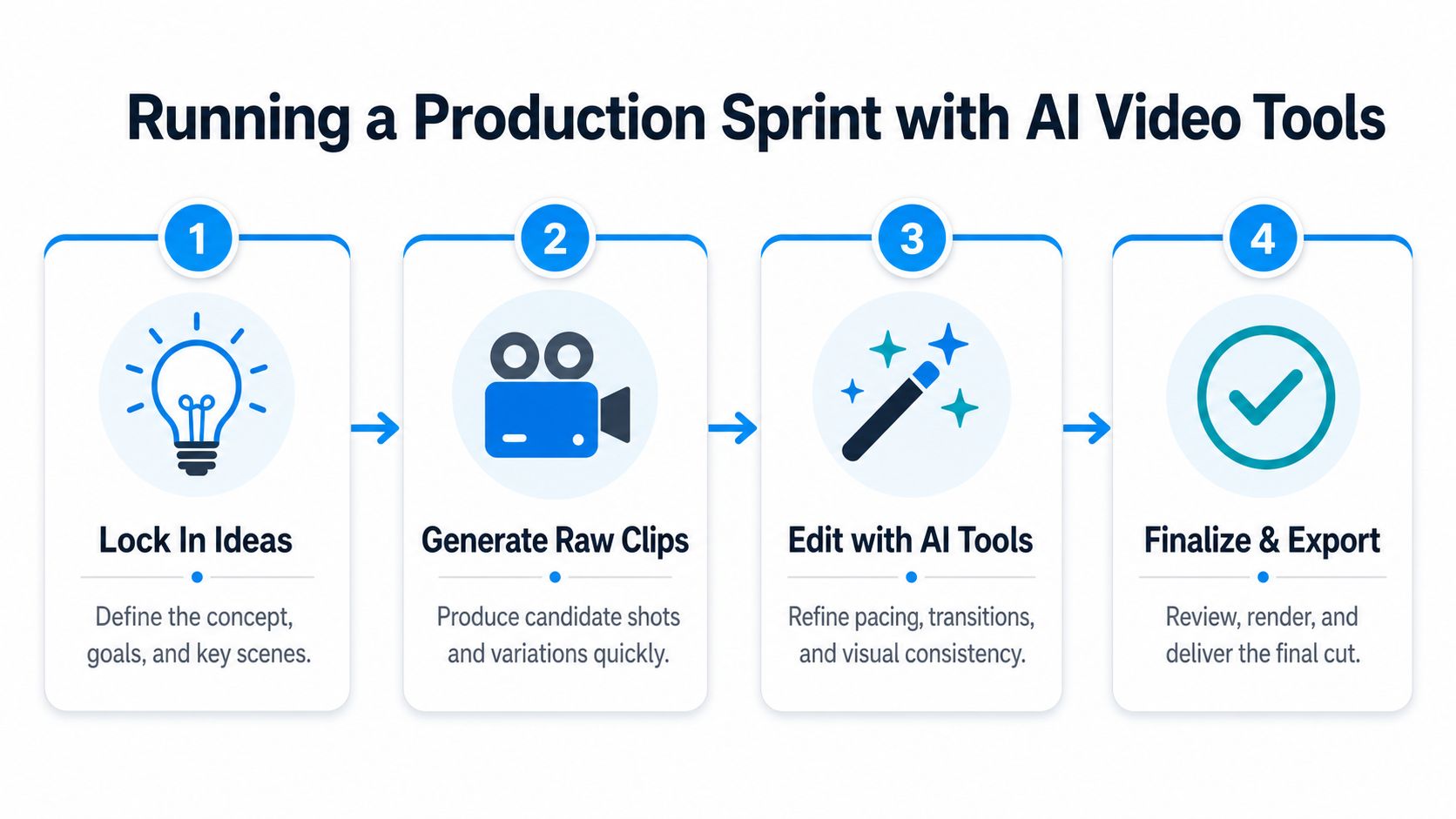
Once the ideas are approved, protect the production block from new ideation. The sprint should feel more like an assembly line than a creative free-for-all. Load the prompt set, establish your recurring characters, generate raw clips, then move through editing and review in order.
Model choice depends on the creative requirement. Sora 2 and Veo 3.1 may suit cinematic scenes where movement, atmosphere, and visual detail matter. Kling can be useful when you need a different balance of motion and speed, while Nano Banana can support faster image variations and character or background development. Use the model that fits the shot, not the model with the most impressive demo.
Use a four-pass production flow
Pass one locks the inputs. Confirm the hook, reference style, character description, aspect ratio, voice direction, and ending. If the character must recur, keep its defining traits in a reusable character prompt rather than rewriting them from memory.
Pass two generates raw material. Create multiple clip options for the same concept before moving to editing. This makes comparison easier and prevents a single awkward gesture or broken background from becoming the final shot.
Pass three handles transformation and assembly. AI tools can swap characters, replace backgrounds, extend scenes, generate voiceovers, and create alternate visual treatments without a reshoot. Keep the original clip, the revised version, and the selected version clearly labeled. That small habit saves time when a revision introduces a new error.
Pass four is human review. Watch every export with sound on and off. Check the first frame, subtitle timing, character continuity, logo placement, voice pronunciation, and final call to action. Automation should remove repetitive clicks, not remove your quality gate.
Practical batching guidance recommends 8 to 12 image or text-based pieces in a half-day session, or 4 to 6 pieces when the content is video-heavy, according to this batching workflow guide. Treat those figures as operating targets, not promises. A complex character swap or cinematic sequence can consume more review time than a simple template variation.
A useful workflow reference for larger teams is this ad team workflow optimization playbook, especially when several people share prompts, approvals, and exports.
Keep a render log with the prompt version, model, voice, selected clip, and revision notes. The log becomes valuable when a format starts working because you can reproduce the creative ingredients instead of guessing what made the result usable.
Scheduling and Automating Multi-Platform Publishing
A finished video in a folder is not a publishing system. Each asset needs a clear filename, platform destination, caption, posting window, and status that shows whether it is approved, scheduled, paused, or replaced.
Create a publishing record for every export. Store the final video, platform-specific caption, hashtags when relevant, thumbnail or cover frame, destination account, scheduled date, and approval status together. This prevents a YouTube Short export from being confused with a TikTok version that uses different on-screen text.
Separate evergreen inventory from reactive posts
Your queue needs two content lanes. Evergreen videos cover recurring education, stories, product demonstrations, or character formats that remain useful after a trend fades. Reactive videos respond to current sounds, news-adjacent conversations, memes, or fast-changing audience language.
Leave calendar space for reactive work. Sprout Social's scheduling and buffer guidance recommends separating planning, creation, review, and scheduling while maintaining a 1 to 2 week buffer. That buffer protects consistency while leaving room to replace a post when the conversation changes.
Prompt cloning makes this split practical for AI video batches. Keep the core prompt, shot order, narration style, and subtitle rules fixed for evergreen formats, then swap the character, setting, hook, or trend reference for each variation. Reactive videos should pass through a shorter approval path because their value can decline quickly.
Platform cadence also needs its own rules. One guide recommends spacing posts on the same platform by at least 3 to 4 hours and avoiding consecutive promotional posts, as explained in this discussion of batching for social media. Use audience and platform analytics to adjust the schedule. Publishing several similar videos together can make the feed repetitive and obscure which creative earned attention.
Automate the handoff, not the judgment
A scheduling tool can connect accounts, publish approved videos, and report performance across channels in one dashboard. The creator still decides whether a queued post remains relevant, whether its caption fits the platform, and whether a comment or audience signal requires a response.
Aicut can generate faceless videos from repeatable formats, swap characters or backgrounds, add voiceovers, and handle scheduling and one-click posting across short-form channels. Its AI video automation workflow works best after prompts, naming rules, review status, and the publishing calendar are organized.
Set a pause rule. Stop a queued post when a trend changes, a claim becomes outdated, an offer expires, or a format feels overused. Automation should make replacement quick, while final judgment stays with the creator.
Avoiding the Batching Mistakes That Kill Performance
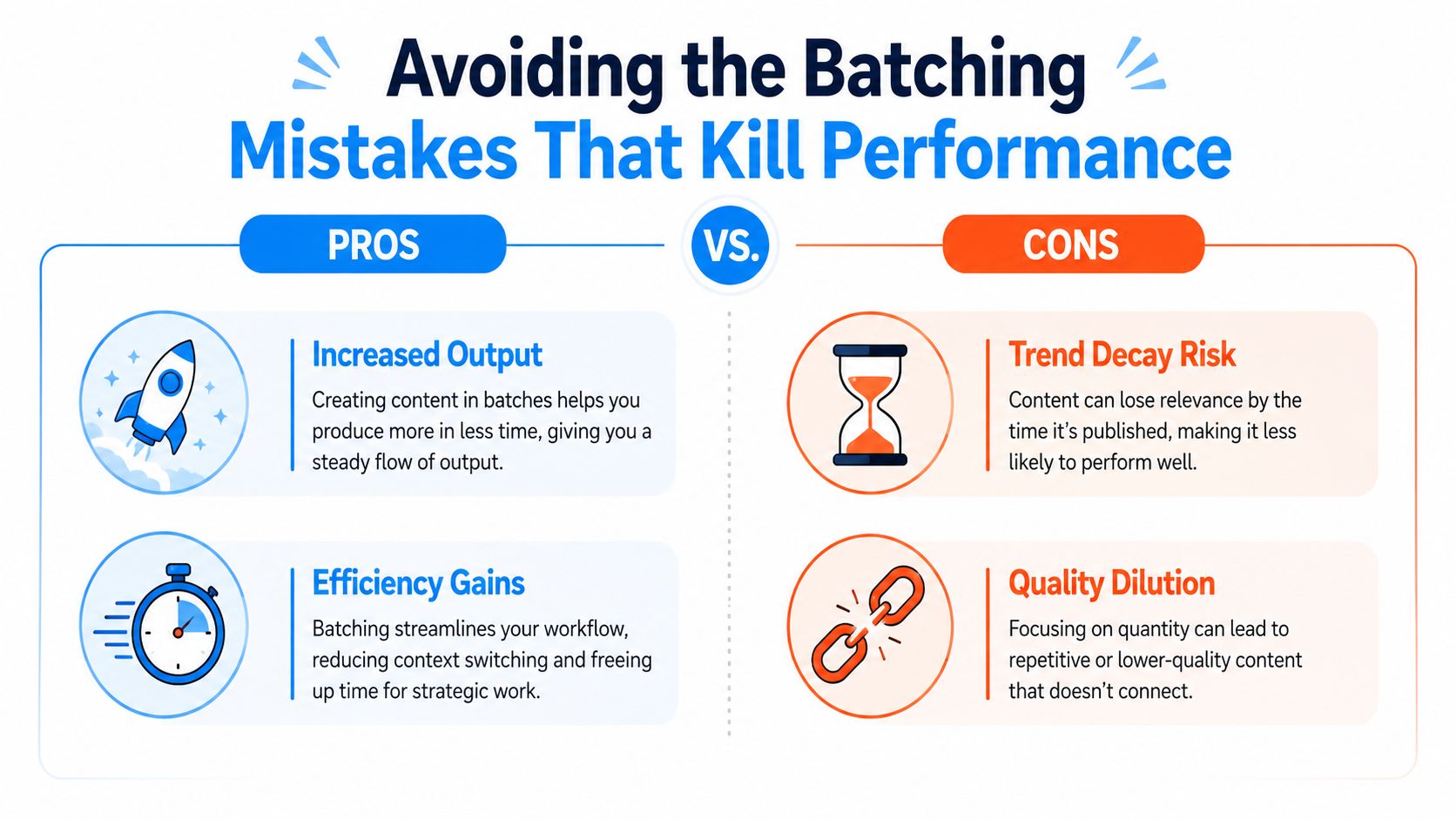
A folder full of AI-generated videos can still produce a weak week. Cloned prompts may repeat the same hook, character swaps can break continuity, and a trend can lose relevance before the render queue finishes. Batching saves time only when review protects the quality and timing that short-form platforms reward.
One cited benchmark says creators who batch produce 2 to 3 times more content per hour than creators who make posts individually. Monthly batching can also save 4 to 6 hours per week, or 200 or more hours per year, when creators standardize templates and reuse formats, according to this overview of batch content creation. Those gains disappear when the batch becomes too large to inspect properly.
Don't confuse a full queue with a healthy queue
Successful systems described in the same source use one monthly planning session, a 1 to 2 day creation sprint, and a weekly scheduling review. Producing 40 to 60 assets without review can lower quality and weaken trend alignment. The count is not the main issue. Removing the checkpoint is. Without it, weak generations, awkward character swaps, and stale concepts reach the publishing queue.
Use a review gate after generation and another after editing:
- Creative gate: Reject unclear hooks, repeated premises, inconsistent characters, and clips with distracting AI artifacts.
- Platform gate: Check framing, subtitle placement, duration, audio levels, and the caption for each destination.
- Freshness gate: Recheck queued posts against current trends, audience comments, offers, and channel tone.
- Archive gate: Save rejected concepts with notes instead of deleting them. A weak execution may work after a format or prompt revision.
Protect focused blocks from task switching
Mixing planning, prompt cloning, production, and publishing in one block turns batching into reactive work. Keep analytics closed while writing prompts, and avoid rewriting hooks while the render queue is running. Productivity research associates task switching with about 23 minutes of refocus time, so separate those activities into defined work blocks rather than constantly monitoring every stage.
A batch should reduce context switching, not compress every task into one exhausting marathon.
Review the queue weekly and refresh posts that have lost their context. Keep a buffer, but do not treat it as a vault. Short-form audiences respond to timely signals, so the workflow should make it easy to replace stale AI videos, swap a character or hook, and reschedule the updated version without rebuilding the entire calendar.
Building a Repeatable Weekly Content Machine
A sustainable system gives every type of work a home. Ideation shouldn't compete with rendering, and publishing shouldn't interrupt editing. A simple weekly rhythm can keep a solo creator moving while leaving enough flexibility for trend-driven content.
Assign one job to each work block
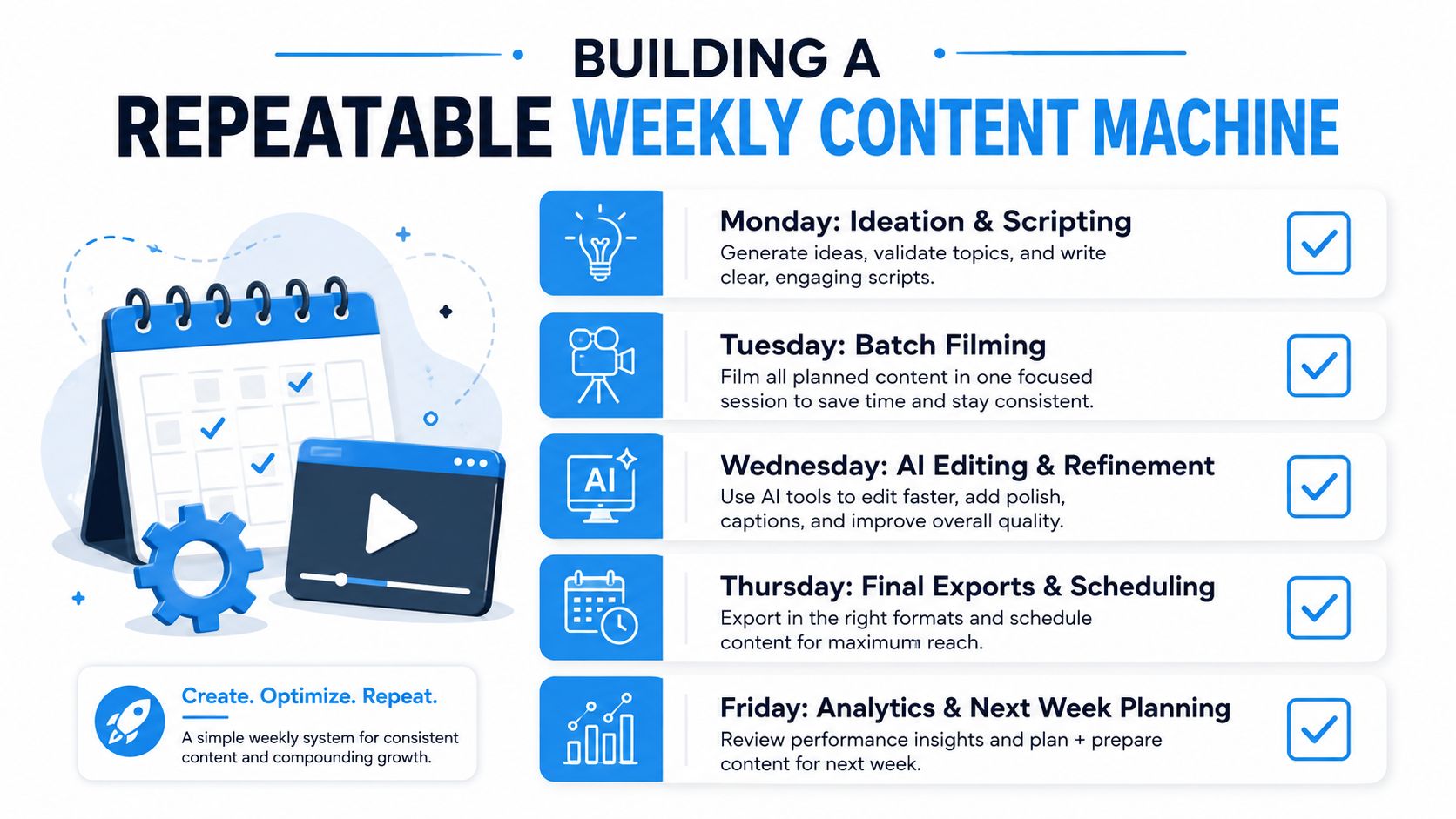
Monday is for ideation and scripting. Select formats, clone useful prompt structures, write hooks, and map each concept to a platform. Remove ideas that depend on a trend you can't reasonably monitor.
Tuesday and Wednesday are for production. Generate raw clips, swap characters or backgrounds, create voiceovers, edit variations, and export approved videos. Keep the work organized by format so you aren't rebuilding settings for every asset.
Thursday is for final exports and scheduling. Add platform-specific captions, confirm cover frames, load the approved queue, and keep reactive slots open. A practical batch production and scheduling workflow can help turn this sequence into a repeatable operating procedure.
Friday is for analytics and next-week planning. Review retention signals, comments, saves, shares, creative patterns, and production time. Don't judge the system only by how many videos it produced. Track whether the process gives you more time to improve hooks and whether the published work still matches the audience.
Measure the machine, not just the output
Useful operating questions include:
- Which formats required the fewest revisions?
- Which prompts produced consistent characters?
- Which videos became stale before publication?
- How much time did each approved post consume?
- Which platform adaptations needed separate editing?
- How often did reactive content replace scheduled content?
Batching works when it creates a reliable balance between inventory, quality, and responsiveness. Keep evergreen material ready for unexpected trend shifts, but reserve enough attention for comments and new signals. The creator who builds that balance can publish consistently without allowing automation to flatten every video into the same pattern.
Start with one repeatable format, one focused production sprint, and one review checkpoint. Once that workflow feels stable, add another character, platform, or model instead of multiplying complexity all at once.
Aicut helps you batch-create faceless short-form videos with reusable formats, prompt-driven generation, AI character and background swaps, voiceovers, and automated publishing workflows. Visit Aicut to organize your prompts, produce multiple video variations, and build a more consistent schedule for YouTube, TikTok, and Instagram.