Let's be honest, nobody wants to be told how great a product is. They want to see it in action, solving a problem they actually have. That's the whole point of a product demo video—it’s your chance to show, not just tell, and frame your product as the only logical solution.
The most effective demos I've seen all have one thing in common: they focus laser-sharp on a single customer pain point. They don't try to show off every single feature. Instead, they present a relatable problem and then, boom, here's how our product makes that problem disappear. Often, the best way to do this is with engaging, faceless formats like simple screen recordings or authentic-looking user-generated content (UGC).
Why Product Demos Are Your Best Sales Tool
Think about it. In a world where everyone does their own research online before even thinking about talking to a person, your product demo is your hardest-working salesperson. It’s out there 24/7, building trust and showing value on demand.
A great demo answers questions before a potential customer even knows they have them. It provides that visual proof that modern buyers crave, long before they'd ever consider hopping on a sales call.
This isn't just a gut feeling; the shift in how people buy is massive and backed by data. Buyers today expect to see self-serve proof that your product works. We're talking about some serious numbers: 98% of people watch explainer or demo videos to learn about products, and a staggering 87% said a video sealed the deal for them on a purchase. If you want to dive deeper, you can learn more about how video influences purchase decisions and see how the big players are using this to their advantage.
The Power of AI-Driven, Faceless Demos
The good news? You don't need a Hollywood budget or charismatic on-screen talent to create videos that actually convert. The rise of AI-powered tools has completely changed the game, making it possible for anyone to produce high-quality, professional-looking demos in minutes.
For example, a tool like Aicut lets you generate everything you need from simple text prompts.
You can generate realistic video clips, spin up authentic UGC-style reviews using AI avatars, or even create those super-popular text-story videos that you see all over social media. It's all about making video creation accessible.
These formats are so effective because they feel genuine and relatable. They don't scream "ADVERTISEMENT!" Here's a quick breakdown of why they work so well:
- UGC-Style Reviews: This is instant social proof. It looks and feels like the real content people scroll past every day on their social feeds, which immediately builds trust.
- Point-of-View (POV) Demos: This approach is brilliant because it puts the viewer right in the driver's seat. It makes the experience feel personal and shows just how intuitive your product is to use.
- Screen Recordings & Narrations: For software or digital products, nothing beats a clear, step-by-step walkthrough. It removes all the guesswork and shows people exactly how to get from point A to point B.
At the end of the day, these videos are a critical piece of your sales engine. They speed up the entire buying process by proving, right before the viewer's eyes, that your product delivers on its promise.
Building a Demo Video Plan That Actually Works
Let’s be honest: a high-converting video doesn't happen by accident. It all starts with a smart plan, long before you even think about hitting the record button. This upfront strategy is what separates a demo that gets scrolled past from one that actually drives sales.
First things first, you need to decide on one primary goal. Trying to do too much at once just confuses your audience. Is this demo meant to grab new leads? Is it a closing tool for your sales team? Or maybe it's for onboarding new customers? Each one demands a completely different approach.
Once you’ve nailed down your goal, get crystal clear on who you're talking to. Who is your ideal viewer, and what’s the one problem that keeps them up at night? Your job is to connect their biggest pain points directly to your product's best features. This isn't about rattling off a laundry list of specs; it's about showing them you have the exact solution to their specific problem.
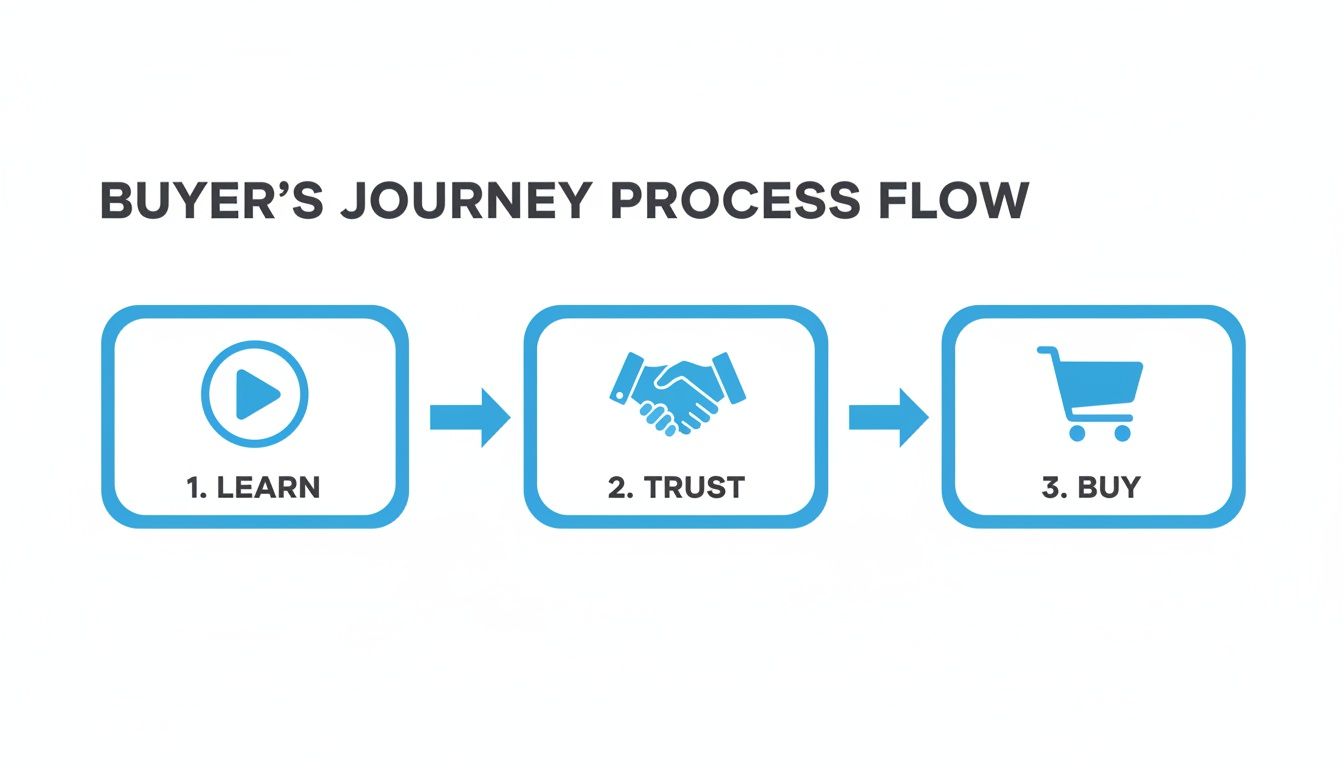
This journey is crucial. A great demo builds the trust needed to move someone from just being curious to confidently clicking "buy."
Choosing the Right Faceless Format
Not all videos are created equal, and the format you choose can make or break your results. The right style depends entirely on what you're trying to achieve.
Here’s a quick guide to help you match your video format to your business goal.
Matching Your Demo Format to Your Goal
| Your Goal | Best Faceless Format | Why It's Effective |
|---|---|---|
| Build Authenticity and Trust | UGC-Style Review | It feels like a genuine recommendation from a real customer, not a polished ad. Social proof is incredibly powerful. |
| Show the Product in Action | POV/Selfie Style | This first-person perspective makes the viewer feel like they are the one using the product, creating an immediate connection. |
| Explain a Complex Feature | Reddit Narration | Using a familiar, story-driven format helps break down complicated ideas into something engaging and easy to follow. |
| Grab Attention on Social Media | Text-Story | This fast-paced, chat-like format is native to platforms like TikTok and Instagram, making it perfect for quick, compelling stories. |
Thinking through this choice upfront ensures your creative direction is perfectly aligned with your business objectives from the very beginning.
Crafting a Winning Script
With your goal, audience, and format locked in, scripting becomes so much easier. I’ve found that a simple, four-part framework works wonders, especially for the short-form, faceless videos we're focusing on. You have to make an impact, and you have to do it fast.
Here’s the breakdown:
- The Hook: Kick things off with a sharp question or a bold statement that grabs attention in the first three seconds. Call out their pain point directly.
- The Problem: Briefly dig into that pain point. You want them nodding along, thinking, "Yes, that's exactly my problem!"
- The Solution: Now it’s your product's time to shine. Show, don't just tell, exactly how it solves the problem you just agitated. Keep it clean and simple.
- The Call-to-Action (CTA): End by telling them precisely what to do next. Do you want them to sign up, download something, or visit your site? Don't be shy.
A great script doesn't just explain what a product does; it tells the story of how it transforms a customer's life. Focus on the "after" state—the relief, the efficiency, the success—that your product provides.
For instance, if your goal is to sell on a marketplace, your approach will be different. When creating a product video for Amazon, you have to think about the specific context of that platform and what makes those buyers tick.
Using AI to Write Your Scripts
You can take this framework and feed it directly to an AI tool to generate scripts in seconds. The key is to avoid generic prompts and give the AI very specific instructions based on the plan you just built.
Here’s a practical prompt you can tweak and use right away:
"Write a 30-second video script for a TikTok UGC-style ad. The product is a time-tracking app for freelancers.
- Hook: 'Stop guessing where your hours went.'
- Problem: The script should touch on the stress of manual invoicing and losing track of billable time.
- Solution: Show the app's simple interface tracking time with just one tap and then instantly generating an invoice.
- CTA: 'Download now and get your first month free!'"
Giving the AI this level of detail ensures it spits out a script that’s not just well-structured, but perfectly aligned with your goals. After this planning stage, you’ll have a clear roadmap and a script that’s ready for production.
Putting It All Together with AI Tools
Alright, you've got your script locked in. Now for the fun part: actually making the video. This is where AI tools like Aicut completely change the game. Forget about expensive camera gear, complex software, or hiring a whole production team. You can create a seriously professional-looking video right from your desk, and do it way faster than you think.
The magic here is letting AI do all the heavy lifting. This isn't just about saving time; it unlocks a ton of creative options that used to be out of reach for anyone without a massive budget.
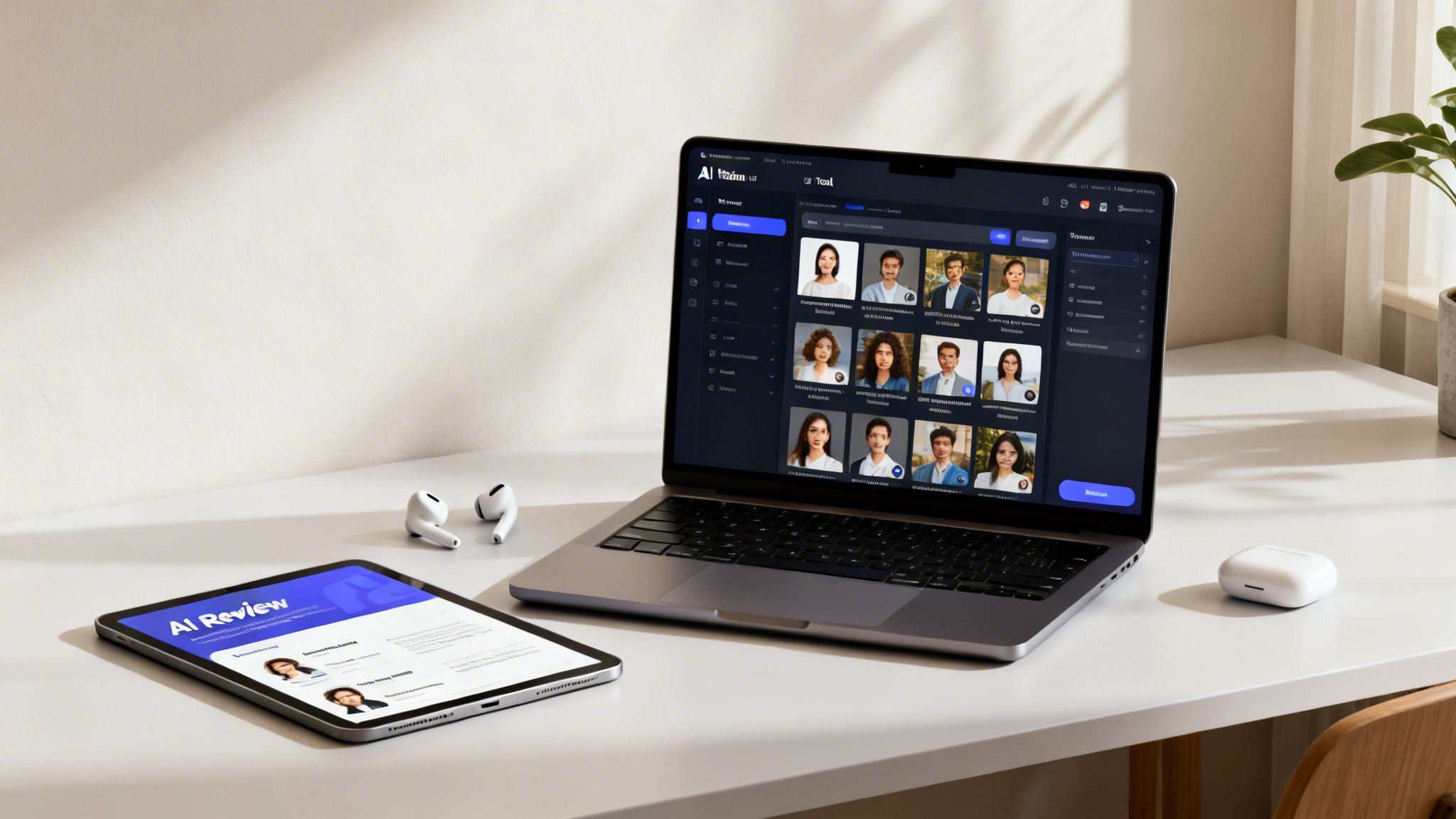
Switching to this workflow isn't just a small tweak—it's a massive boost for your efficiency and your bottom line. In fact, companies that use AI for their video marketing report an 82% jump in ROI over traditional methods. And for product demos specifically? We're seeing AI-generated videos lift conversion rates by as much as 40%. If you're curious, you can dig into more stats on AI's impact on video marketing and see just how powerful this shift is.
Generating Your Core Visuals
First things first, we need to create the visual foundation of your video. This means no more scrolling through endless, generic stock footage libraries trying to find something that sort of fits. With AI, you can generate the exact visuals you need, right from your script.
Text-to-Video Magic: Just copy a scene description from your script and paste it into a tool like Aicut. A prompt as simple as, "a close-up shot of a person smiling while easily using a mobile app on their phone" can spit out a custom-made, high-quality clip in seconds.
Authentic UGC & Avatars: Want that user-generated content feel without chasing down actual users? AI avatars are your answer. These digital actors can read your script naturally, giving you the credibility of a testimonial without the hassle of casting.
Effortless Story Videos: For those popular Reddit narration or text-message story formats, it's even easier. Drop your dialogue in, and the AI will automatically create the animated, chat-style visuals that dominate platforms like TikTok and Instagram Reels.
The ability to create visuals on the fly also means you can quickly spin up different versions of your demo to A/B test and see what truly connects with your audience.
Recording Clean Screen Captures and POV Shots
If you're demoing software or an app, a crystal-clear screen recording is a must. It's the most straightforward way to show your product in its natural habitat. Most modern tools come with built-in screen recorders that make this incredibly simple.
Before you hit record, do a little prep work. Close out any extra tabs and turn off notifications—you want a clean, distraction-free screen. As you record, move your cursor with intention; you're guiding the viewer's eye exactly where you want it to go. This screen capture becomes the bedrock for a Point-of-View (POV) demo, which you can then layer with a voiceover to create that "you are here" experience.
Pro Tip: Don't even try to nail a perfect, one-take screen recording. It's a recipe for frustration. Instead, record in short, logical chunks. It is so much easier to stitch together a few clean clips than it is to edit out a mistake from a single, long recording.
This modular approach not only saves your sanity but also gives you way more flexibility when you get to the editing stage. For a deeper dive, you might find our guide on how to create videos with an AI product video generator helpful, as it covers these techniques in more detail.
Adding a Human-Sounding AI Voiceover
A voiceover can absolutely make or break your video. It guides the narrative, injects personality, and explains what's happening on screen. The good news is that today's AI text-to-speech isn't the robotic voice you're imagining. It's shockingly realistic, delivering warm, engaging narration that's often impossible to tell apart from a human.
Here’s how simple it is:
- Paste Your Script: Grab the script you wrote earlier and drop it into the AI voice generator.
- Pick Your Voice: Browse a library of different voices to find the perfect match for your brand. Are you going for high-energy and fun, or calm and trustworthy? You'll find an option for it.
- Tweak the Pacing: You can easily adjust the speed and add strategic pauses to make the delivery feel completely natural and sync up perfectly with your video.
Once you combine these AI-generated visuals, your clean screen recordings, and a compelling AI voiceover, you've got all the raw materials you need. You’ve successfully turned a simple script into a full-fledged video, all set for the final polish in the editing room.
Getting Your Video Ready for Social Media
Once you've got all your AI-generated clips and a solid voiceover, it's time for the final edit. This is where the magic really happens—turning those raw assets into a polished, compelling video that's ready to perform. It's the little details in post-production that make all the difference.
Think of it as the final polish. You’ll want to trim any dead air in the voiceover, find some background music that sets the right tone, and add text overlays to hammer home your key selling points. For those deeper, more comprehensive demos, knowing how to format for a platform like YouTube is key to getting in front of the right eyeballs.
One Size Doesn't Fit All
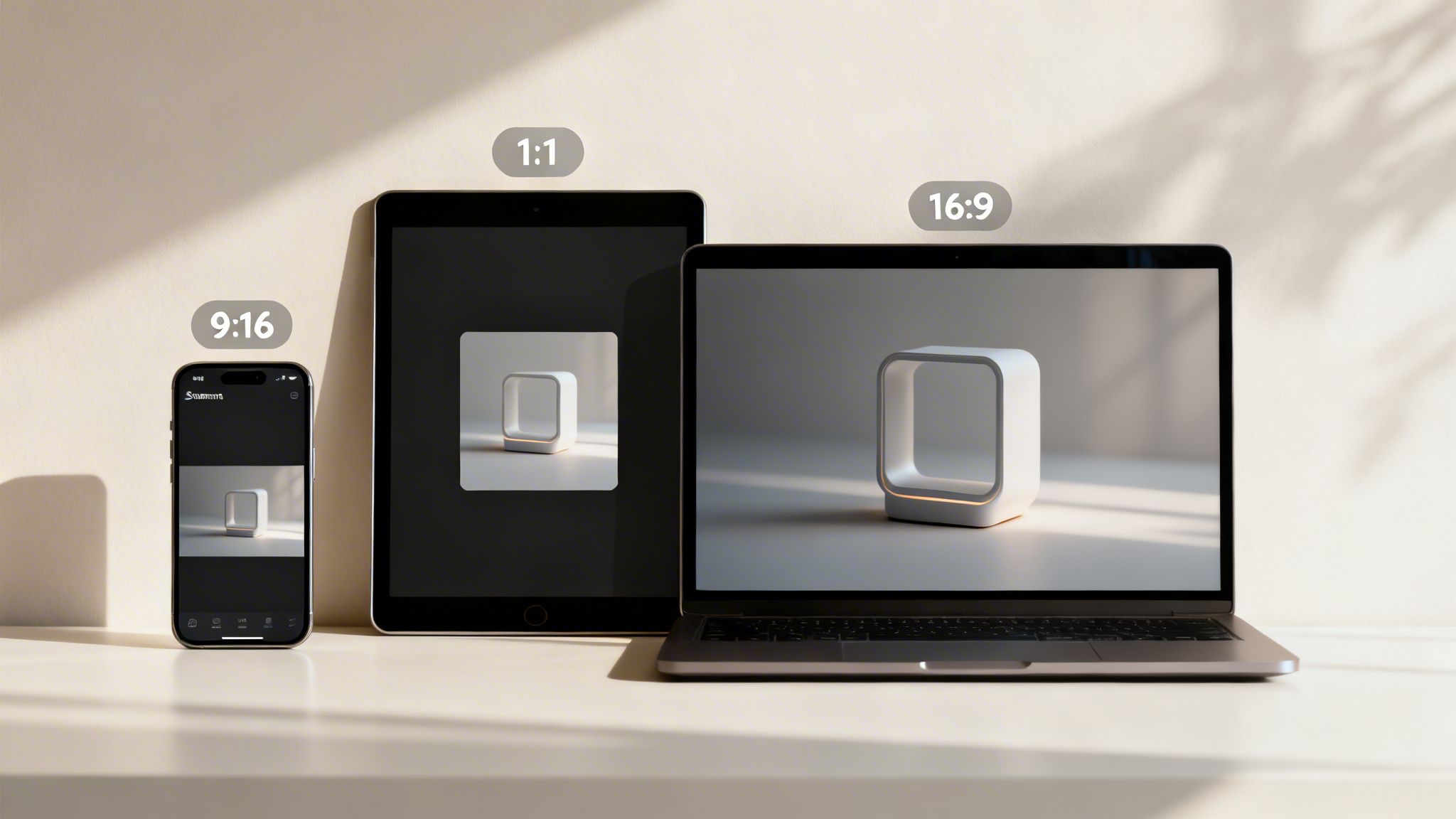
You can't just create one video and blast it everywhere. What works on TikTok is going to feel out of place on YouTube, and what performs well on the Instagram feed might get ignored in Reels. Each platform has its own unique vibe and, more importantly, its own technical requirements.
Here’s a simple cheat sheet for your export settings so your videos always look native to the platform:
TikTok & Instagram Reels: Go with a 9:16 vertical aspect ratio. It’s what everyone expects, and it fills the entire phone screen. Use a 1080x1920 pixel resolution to keep everything looking crisp.
Standard YouTube: Stick to the tried-and-true 16:9 horizontal format. This is your go-to for screen recordings or more detailed walkthroughs. A resolution of 1920x1080 pixels is the gold standard for HD.
Instagram & Facebook Feeds: I've found a 1:1 square (1080x1080 pixels) often gets the best engagement here. It simply takes up more visual real estate on the feed as people scroll, making it harder to miss.
Nailing these settings from the start is the first step toward making your demo look professional instead of like an afterthought.
Don't Skip the Subtitles
This is a big one, so don't ignore it: always, always add subtitles. Some studies show that as many as 85% of social media videos are watched on mute. Without captions, your entire message vanishes for a huge chunk of your audience.
AI-generated subtitles are no longer just a nice-to-have for accessibility. They're a must for viewer retention. They make sure your message hits home, even with the sound off, which is absolutely critical in a fast-scrolling world.
The good news is that you don't have to do this manually anymore. AI tools like Aicut can transcribe your audio and generate perfectly timed captions in just a few clicks. It's a tiny step that makes a massive impact on your video's effectiveness.
If you want a deeper dive into this part of the process, check out our full guide on how to create AI-generated videos. Getting these final details right ensures you have a perfectly tuned video ready to grab attention on any social feed.
Get Your Demo Seen: Automating Your Video Distribution
You’ve created a fantastic product demo video. That’s a huge step, but honestly, it’s only half the job. A great video that no one ever sees is just a file taking up space. This is where a smart, consistent distribution strategy comes into play—it’s just as crucial as the production itself. The goal is simple: get your demo in front of the right eyeballs, wherever they hang out.
This means you need to be strategic about where you place your video. Don’t just throw it up on YouTube and call it a day. The most successful brands embed their demos everywhere that matters: right on their product pages, front-and-center on the homepage, and inside dedicated resource hubs or blogs.
This isn’t just a hunch; it’s standard practice for companies that are crushing it. In fact, 52% of the top 1% of brands feature their demos in multiple spots. The most popular places? Product pages (62%), homepages (48%), and dedicated demo centers (45%). If you want to dive deeper, you can discover more insights about interactive demo trends and see how the best in the business do it.
Let Automation Do the Heavy Lifting
Manually posting your video across every single social channel is a recipe for burnout. It’s a massive time-suck, and this is where automation truly changes the game. With a tool built for creators like Aicut, you can set up a powerful distribution engine that runs on its own. Just connect your social accounts, schedule your videos, and let it go to work.
Imagine sitting down for one session and scheduling out a whole week’s worth of TikToks, Instagram Reels, and YouTube Shorts. That’s it. You’ve just created a steady stream of content that keeps your brand visible without you having to live on your phone every day.
The real magic of automation isn't just about scheduling posts. It's about building a system that works for you 24/7, turning a single video into a non-stop marketing campaign that warms up leads and drives sales while you're busy with other things.
Running Automated Campaigns
Today’s automation tools can do way more than just basic scheduling. You can actually set up entire campaigns that test different versions of your product demo for you. For example, you could run two videos with different hooks or calls-to-action to see what your audience responds to.
The system will track the performance and automatically put more energy behind the winning version. This approach transforms your demo from a static asset into an intelligent, self-optimizing marketing machine. You’re no longer just posting content; you’re building a scalable system for growth. For a closer look at setting this up, check out our guide on how to automate social media posts. It ensures your best stuff gets the most visibility, giving you the biggest bang for your buck.
Common Questions About Product Demo Videos
Even with the best plan in place, a few questions always pop up when you're getting started with product demos. I get asked these all the time, so let's clear up some of the common hurdles to help you get better results, faster.
How Long Should a Product Demo Video Be?
There's no single magic number here. The right length is all about matching the audience's expectations on whatever platform they're using.
Think about it: on TikTok or Instagram Reels, you're fighting for every second of attention. You need to get in and get out. I always tell people to aim for under 60 seconds on these platforms. You have to be quick, punchy, and deliver your core message before they can even think about scrolling away.
But when someone is on your website's product page or watching a YouTube deep-dive, they're in a different mindset. They've already shown interest and are willing to invest a bit more time. Here, a video between two to five minutes usually hits the sweet spot. It gives you enough runway to really dig into the details and show off your product's value without dragging on.
The golden rule is to make every single second count. No fluff. Hook them immediately with the most important info—the problem you solve—right up front. That's what keeps them watching.
How Do I Make a Demo Engaging Without My Face?
This is a huge one, and honestly, some of the most effective demos I've seen are completely faceless. You don't need a talking head to build a connection; you just need to tell a compelling story with your visuals.
The trick is to keep things dynamic. Your visuals need to do the heavy lifting to move the narrative forward. Here are a few formats that work incredibly well:
- Crisp screen recordings with a high-energy AI voiceover walking you through the steps.
- Authentic-looking UGC-style videos that use AI avatars to create a review or testimonial feel.
- Animated text-story videos that feel native to platforms like TikTok and grab attention instantly.
Your goal is to guide the viewer's eye. Use quick zooms to highlight a key feature. Add a highlight or an arrow to draw attention to a button. Throw in some upbeat background music to keep the energy up. It’s all about showing, not just telling, how your product makes their life easier.
What Metrics Should I Track for My Demo Videos?
Views are nice, but they're a vanity metric. To really know if your videos are working, you have to look deeper and track the numbers that actually impact your business.
Forget just view counts and focus on these instead:
- Click-Through Rate (CTR): This tells you how many people actually clicked your call-to-action. Is your video inspiring them to take the next step? This number has the answer.
- Conversion Rate: This is the big one. How many viewers signed up for a trial or bought your product after watching? This directly measures your video's ROI.
- Audience Retention: I love this metric. The retention graph is a goldmine—it shows you the exact moment people get bored and drop off. You can pinpoint the weak spots in your script and fix them in the next version.
These three metrics together will give you the complete picture of what's working and what's not.
Ready to create high-converting product demo videos in minutes? Aicut gives you all the AI tools you need to generate viral clips, produce authentic UGC-style reviews, and automate your entire content workflow. Start creating for free at Aicut.pro.