AI-generated content is pretty much what it sounds like: any kind of media—text, images, video, audio—that an artificial intelligence system cooks up instead of a person.
You give a set of creative instructions, known as a prompt, to a powerful algorithm. It then gets to work and produces brand new, original content completely from scratch.
Understanding AI Generated Content
So, how does this actually work? At its heart, AI content generation relies on complex models that have been trained on enormous datasets of human-created stuff.
Think of it like an artist who has spent a lifetime studying millions of paintings to get a deep sense of style, color, and composition. If you ask this artist to paint a "futuristic city in the style of Van Gogh," they won't just copy an existing piece. Instead, they’ll tap into everything they've learned to create something entirely new that matches your request. AI works on a similar principle, just with data instead of paint.
This is a game-changer for creators and brands. You can now generate a ton of different media incredibly quickly. Instead of spending hours writing a script or days setting up a video shoot, you can type a simple command and get a finished product in minutes. It’s not about replacing human creativity; it’s about giving it a powerful co-pilot to speed up your workflow.
The Building Blocks of AI Content
It's important to know that there isn't one single "magic button" for all AI content. Different types of media are created by specialized AI models, each trained for a specific job. The model that writes a blog post is completely different from the one that generates a photorealistic image.
Here are the key ideas you'll want to get familiar with:
- Generative AI: This is the big-picture term for any AI that creates something new, rather than just analyzing or sorting data that already exists.
- AI Models: These are the brains of the operation. You have Large Language Models (LLMs) for text and Diffusion Models for images, each having learned patterns from their training data.
- Prompts: These are your instructions for the AI. The quality and detail you put into your prompt have a direct impact on the quality of the final output.
By providing a detailed prompt, you become the director of the project. You're guiding the AI to produce content that lines up perfectly with your vision, turning content creation from a manual chore into a more strategic role.
To make this clearer, let's break down the main types of AI content and what they're typically used for.
A Quick Look At AI Content Types
The table below gives you a quick snapshot of the primary categories of AI content, the technology that powers them, and how creators are using them in the real world.
| Content Type | Core Technology (Model Type) | Popular Use Case |
|---|---|---|
| Text | Large Language Models (LLMs) | Blog posts, ad copy, video scripts, social media captions |
| Images | Diffusion & GANs | Social media visuals, ad creatives, YouTube thumbnails |
| Video | Text-to-Video, Image-to-Video | Short-form social videos, "faceless" YouTube content, ads |
| Audio/Voice | Text-to-Speech (TTS), Voice Cloning | Voiceovers for videos, podcasts, accessibility features |
| Avatars | Generative Adversarial Networks (GANs) | AI presenters for training videos, brand representatives |
Each of these tools opens up new possibilities, allowing you to create more, faster, and often with fewer resources than ever before.
How AI Actually Creates Content From Scratch
So, we know what AI-generated content is. But how does a machine actually go from a simple text command to a finished video or image? It’s not magic, but it is a fascinating, high-speed creative process. And it all kicks off with one thing: the prompt.
A prompt is basically your instruction manual for the AI. Think of it as the creative brief you'd give a human collaborator. If you give a vague prompt like "make a video about dogs," you'll get a pretty generic result. But if you get specific—"create a short, upbeat video of a golden retriever puppy playing with a red ball in a sunny park, shot in a cinematic style"—you're giving the AI a clear roadmap to follow.
Honestly, the quality of your prompt is everything. Effective prompting is the single most important skill for any creator working with AI tools.
This simple flowchart breaks down the journey from your idea to the final product.
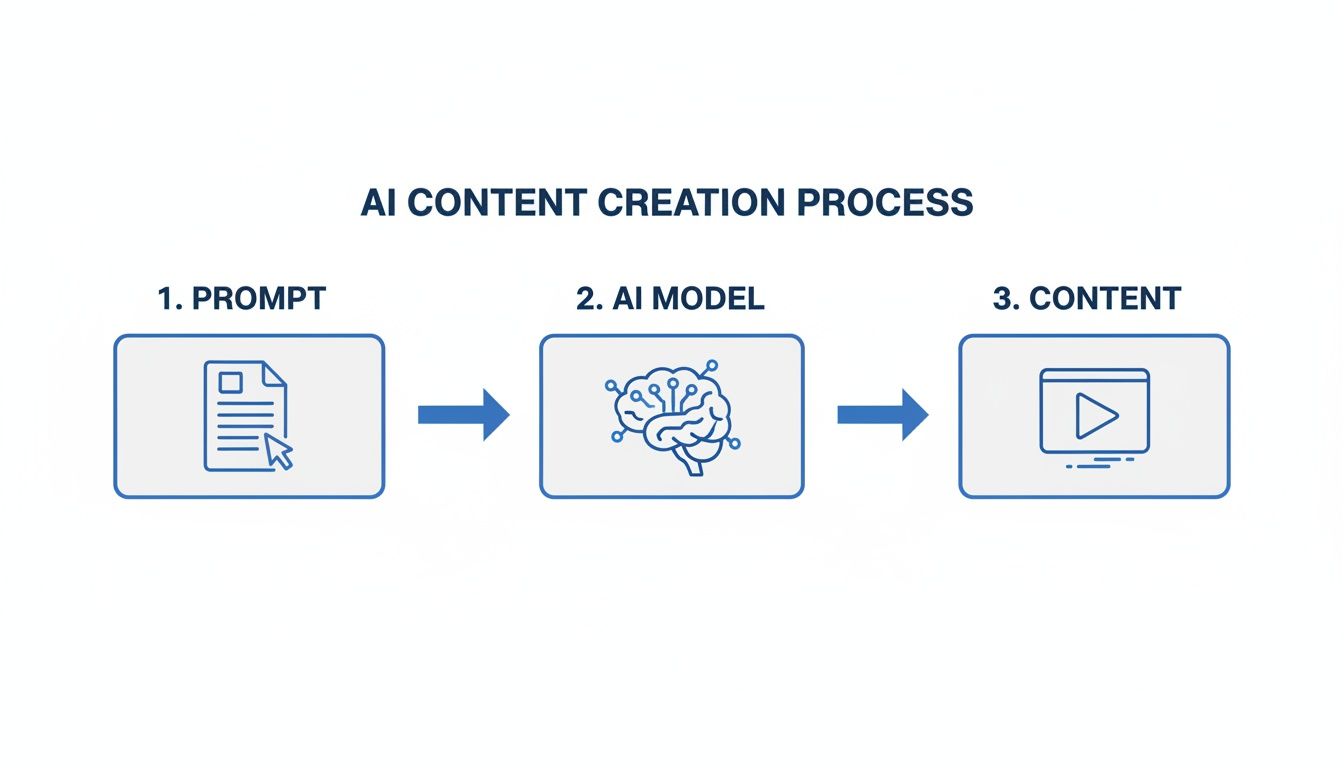
As you can see, your instructions are the spark that ignites the whole process, telling the AI model exactly what it needs to build.
The Brains Behind The Operation: AI Models
After you hit 'enter' on your prompt, it gets handed off to a specialized AI model. These models are the real "brains" of the outfit. Each one has been trained on mountains of data to get really good at one specific creative job. They don't just copy and paste stuff; they actually generate something new based on the patterns they've learned.
Let's say you're making a video. You're not just using one AI; you're often using a whole team of them working in a sequence.
- Large Language Models (LLMs): These are the writers. An LLM can take a basic concept and spin it into a full-blown video script, complete with dialogue and scene directions.
- Diffusion Models: These are the visual artists. Trained on billions of images, they can read a text description from the script (like "a futuristic cityscape at sunset") and create a brand-new, jaw-dropping image from scratch.
- Text-to-Speech (TTS) Models: And these are your voice actors. A TTS model takes the written script and turns it into a surprisingly natural-sounding voiceover. You can even pick the accent, gender, and tone.
This layered approach is what makes modern AI so powerful. Instead of one AI trying to do everything, you have a team of specialists, each bringing their A-game to create the final piece.
A Practical Workflow For Creators
So what does this actually look like when you're using a tool like Aicut? Let's walk through how a creator might make a "faceless" YouTube Short.
It all starts with an idea, maybe a great story you found on Reddit. You’d pop a prompt into Aicut that says something like: "Create a one-minute video narrating the top comment from this Reddit thread, with an engaging voiceover and relevant background footage."
From that point on, the platform handles the entire workflow:
- Scripting: An LLM jumps in and writes a tight script based on the Reddit comment.
- Voiceover: A TTS model then records that script in a clear, human-like voice.
- Visuals: At the same time, another model finds or generates background clips that match the story.
- Assembly: Finally, the system syncs the audio with the video and slaps on some auto-captions.
In just a few minutes, that simple prompt has become a video that's ready to upload. This kind of automated process tears down the old technical hurdles of video editing, letting creators focus on what they do best: finding great ideas and telling amazing stories.
Exploring The Different Kinds Of AI Content
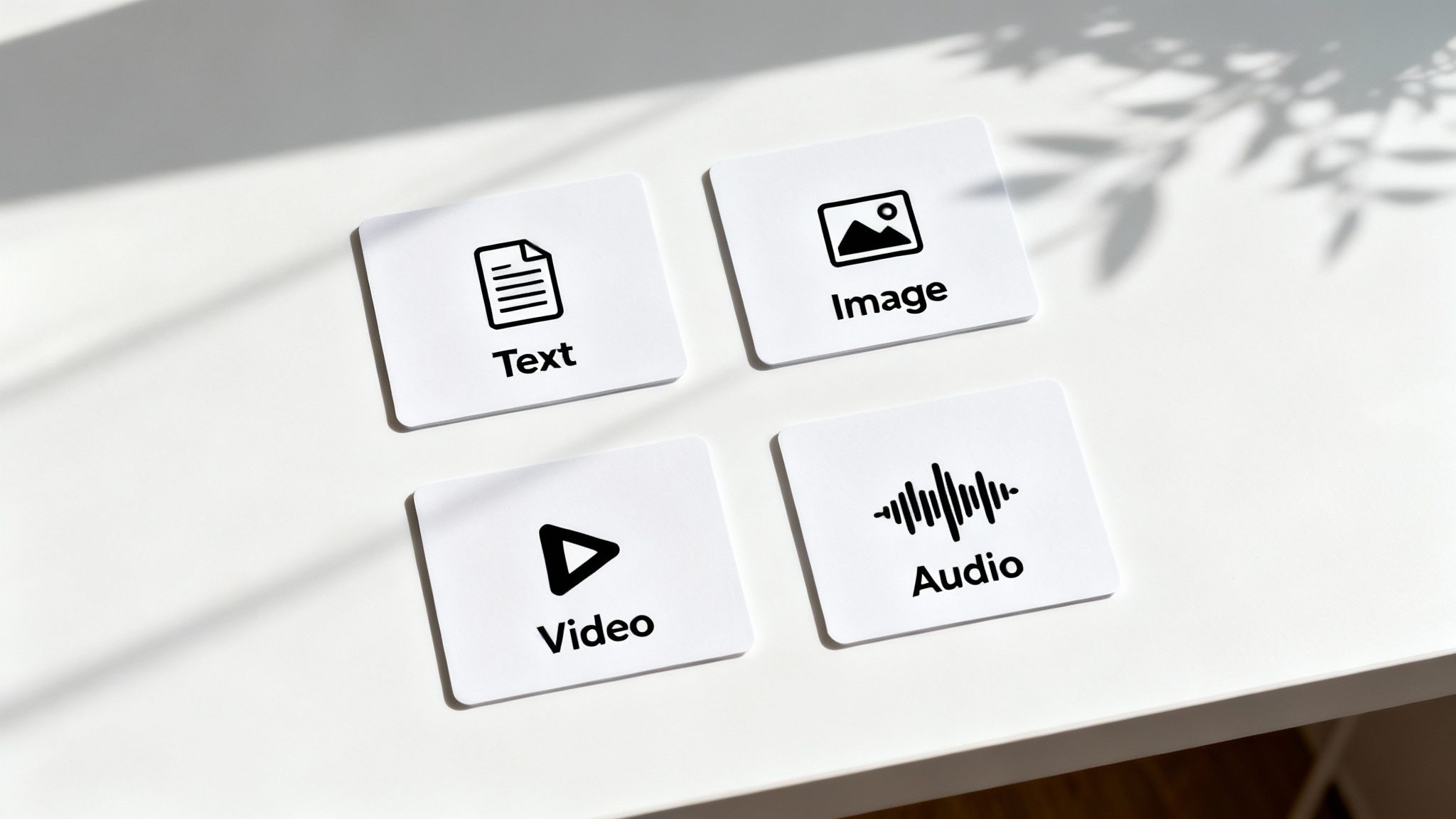
Alright, now that we’ve got the basics down, let's get to the fun part: the stuff you can actually create. Understanding the AI toolkit is the first step to figuring out how it can work for you. The world of what is AI generated content is surprisingly big, covering everything from text and images to videos and even synthetic voices.
Each type of content is built using different AI models, but they all serve the same purpose: to turn your ideas into finished assets, fast. This frees you up to spend more time on the big picture—your creative vision and strategy—instead of getting bogged down in tedious manual work. Let's look at what creators are actually using right now.
AI For Text Creation
When you hear "AI text," your mind probably jumps straight to blog posts. And while AI is definitely good for that, its real magic for social media creators is in writing short, punchy copy that stops the scroll.
Think of an AI text generator as your own personal scriptwriter, social media manager, and copywriter, all rolled into one. It’s fantastic at churning out things like:
- Engaging Video Scripts: From a quick, powerful hook for a TikTok video to a longer, story-driven script for YouTube, AI can outline a narrative, draft dialogue, and even suggest the right pacing to keep people hooked.
- Catchy Social Media Captions: It can spit out dozens of caption ideas for a single post—complete with relevant hashtags and calls-to-action—so you can A/B test and see what your audience loves.
- Ad Copy: Need to sell something? AI can whip up compelling ad copy designed for specific platforms, whether it's for a Facebook campaign or a Google ad.
Being able to create quality text this quickly is a huge leg up when you're trying to post consistently without burning yourself out.
AI For Image Generation
Visuals are the heart of social media, and AI image tools have completely changed the creative process. Instead of digging through stock photo libraries or hiring a designer, you can now dream up completely custom images in seconds. This is a game-changer for producing unique assets that perfectly match your brand's vibe.
As a creator, this means you can generate anything from a slick video background to the perfect thumbnail that gets you more clicks.
With AI, you’re no longer boxed in by your own design skills or budget. If you can describe it, you can create it. This opens up a whole new world of visual storytelling for literally everyone.
Some of the most popular uses include:
- YouTube Thumbnails: Generate bright, eye-catching thumbnails that are practically designed to stand out in a subscriber's feed.
- Product Mockups: If you sell products, you can create professional-looking shots without ever booking a photoshoot.
- Custom Illustrations: Create one-of-a-kind characters or scenes for your content, guaranteeing your visuals are 100% original.
AI For Video Production
This is where it gets really interesting, especially if you're a faceless creator. New text-to-video and image-to-video models are making video production easier than ever before. You can now put together high-quality, engaging videos without a fancy camera, a studio, or complicated editing software.
The possibilities are endless, but a couple of formats are absolutely crushing it on social media right now:
- Automated Reddit Stories: Tools like Aicut can grab a popular Reddit thread and automatically spin it into a compelling video, adding a natural-sounding voiceover and relevant background clips. This style is a massive hit on TikTok and YouTube Shorts.
- Authentic POV Clips: Point-of-view (POV) and selfie-style videos feel real and personal. AI can generate photorealistic clips that nail this style, making it perfect for telling a story or creating user-generated style content without ever showing your face. You can learn more by checking out our guide on creating AI UGC content.
These video styles let creators hop on trends fast and produce a lot of content, which is exactly what you need to grow on fast-moving platforms.
AI For Voices And Avatars
Last but not least, AI-generated voices and avatars are the final pieces of the puzzle for a truly automated content machine. They give you a way to build a consistent brand personality without ever getting in front of a camera or a microphone.
- AI Voices (Text-to-Speech): Modern TTS isn't robotic anymore; it can sound incredibly human. You can pick from different tones, accents, and emotional inflections to find the perfect voice for your channel. It’s a great way to create a consistent audio brand across all your videos.
- AI Avatars: These are digital presenters that can read your scripts on-screen. They're perfect for explainer videos, product reviews, or ads. An AI avatar delivers a perfect take every single time, saving you the headache of re-filming.
By mixing and matching these different AI content types, a single person can now manage a multimedia operation that would have once taken an entire team.
How Creators And Brands Use AI In The Real World
It’s one thing to understand the theory behind AI content, but it’s a whole different ballgame seeing it in action. For creators and brands on the ground, this isn't just some shiny new toy; it's a serious tool that drives efficiency, scale, and raw creativity. Workflows that used to eat up days, or even weeks, are now getting done in a single afternoon.
The real magic here is simple: speed without sacrificing quality. Whether you’re a solo creator trying to keep the algorithm happy or a brand that needs a constant stream of fresh ad creative, AI cuts a direct path to getting more done, faster. This opens the door to more experimentation and helps you stay consistently present online.
Powering The Faceless Creator Economy
For the explosion of faceless creators on YouTube and TikTok, AI is the perfect production partner. You can take a simple idea and automate nearly the entire process of turning it into a published video. It's a huge reason why you see so many successful channels built around niches like Reddit stories, history facts, or motivational quotes.
Here’s a typical workflow for a creator using a platform like Aicut to hit a daily upload schedule:
- Idea to Script: They kick things off with a simple prompt, like "Create a 60-second video script about the most mysterious places on Earth." The AI spits out a script with a killer hook, a few punchy points, and a call-to-action.
- Voiceover Generation: That script gets dropped into a text-to-speech tool, which generates a natural-sounding voiceover. No microphone, no recording booth, no problem.
- Visual Assembly: The AI then pulls together relevant background clips, syncs them to the voiceover, and overlays those catchy, dynamic captions that keep viewers glued to the screen.
A task that traditionally required hours of research, recording, and tedious editing is now a streamlined, minutes-long process. For a lot of creators, this is the secret to staying consistent and avoiding burnout.
Slashing Production Costs For Brands
E-commerce brands and marketing agencies are also cashing in on a massive scale. We all know professional video shoots and ad campaigns can be outrageously expensive and slow. AI-generated content offers a smart, budget-friendly way to produce high-quality promotional videos and ads.
For example, a brand can whip up a polished product demo using an AI avatar. Instead of booking actors, a studio, and a film crew, they just upload a script and let a photorealistic digital presenter do the work. This is perfect for A/B testing dozens of ad variations, localizing content for different countries, or updating a promo video without a costly reshoot. It's a game-changer when you consider how AI can be used for Instagram growth, from creating content to optimizing its performance.
The ability to generate user-generated content (UGC) style ads with AI avatars is a real game-changer. These ads have that authentic, relatable feel that often outperforms slick corporate commercials, but you can make them for a tiny fraction of the cost.
AI Content Creation Vs Traditional Methods
The efficiency gap becomes crystal clear when you put AI-powered workflows side-by-side with old-school methods. The savings in time and money are unlocking a whole new level of productivity for teams of any size. For a deep dive into putting these tools to work, check out our guide on AI content creation for social media.
This table really breaks down what that difference looks like in terms of resources.
| Content Task | Traditional Method (Time/Cost) | AI Method with Aicut (Time/Cost) | Key Advantage |
|---|---|---|---|
| 30-Second Ad Creative | 2-4 days / $2,000+ | 15 minutes / <$10 | Rapid A/B Testing: Generate dozens of ad variations to find the top performer quickly. |
| 5 Faceless YouTube Shorts | 8-10 hours / $300+ (editor) | 1 hour / <$20 | Consistent Output: Easily maintain a daily upload schedule to feed the algorithm. |
| UGC-Style Product Demo | 1-2 weeks / $1,500+ (creator fee) | 30 minutes / <$15 | Scalable Authenticity: Create endless authentic-looking testimonials without creator outreach. |
| Monthly Social Media Visuals | 20+ hours / $1,000+ (designer) | 2 hours / <$50 | On-Demand Creativity: Produce unlimited, on-brand visuals for any campaign or trend instantly. |
At the end of the day, these real-world examples show that AI-generated content is much more than a passing trend. It's a practical, powerful solution that lets creators and brands work smarter, move faster, and hit their goals with an efficiency that was unimaginable just a few years ago.
Navigating The Ethics And SEO Of AI Content
Jumping into AI content creation is an exciting move, but it comes with a new playbook. As you start churning out text, images, and videos, you'll inevitably bump into questions about ethics, ownership, and where your work fits online. Getting out ahead of these issues is the best way to build a brand that people trust and respect.
One of the first hurdles is figuring out who owns what. The legal world is still catching up to AI, but the general rule of thumb is this: content made entirely by an AI with zero human touch can't be copyrighted. The good news? That's probably not what you're doing. All the work you put in—writing clever prompts, picking the best results, and editing everything into a final masterpiece—that’s your creative stamp, and it adds a strong layer of human authorship to your claim.
Beyond the legal fine print, there’s the simple matter of being honest with your audience. You don't need a giant "MADE WITH AI" banner on every single post, but being open about the tools you use builds incredible trust. It frames the technology as a creative partner, not a tool for deception.
Steering Clear Of "AI Slop"
The sheer speed of AI has unfortunately unleashed a tidal wave of low-effort, generic content that's been dubbed "AI slop." This is the stuff that clogs up feeds and search results without offering an ounce of real value. To make sure you’re not part of the problem, your focus should always be on creating something original that genuinely helps or entertains your audience.
Think of AI as your creative launchpad, not the final destination. Your unique voice, your sense of humor, your specific point of view—that's what you need to inject into the final product. That human element is precisely what separates truly great content from spam and keeps people coming back for more.
Your goal should be to use AI to enhance your creativity, not replace it. The most successful AI-assisted creators are those who blend the speed of automation with their own distinct human insight, producing work that is both high-quality and authentic.
How Google And Search Engines View AI Content
Alright, let's talk about the elephant in the room: SEO. For a while, everyone was worried that Google would penalize AI-generated content. The truth is much simpler.
Google has made it crystal clear: they care about quality and helpfulness, not how the content was created. Their ranking systems are built to reward content that shows real experience, expertise, authoritativeness, and trustworthiness (E-E-A-T). So, whether you typed every word yourself or had an AI co-pilot doesn't matter, as long as the final article solves a problem for the reader.
This means you can absolutely use AI to create content that ranks, as long as it's accurate, well-researched, and provides genuine value. In fact, AI is quickly becoming a serious advantage in the SEO game. AI-made content is already making its mark on search results, with some studies showing it makes up over 17% of the top-ranking pages on Google. It’s no surprise that 65% of businesses using AI say their SEO performance has improved. You can find more details in these AI marketing statistics on damteq.co.uk.
As search engines themselves continue to evolve, knowing how to optimize for AI-driven answers is the next frontier. Learning about AI SEO strategies for ranking in LLM answers is a smart move. If you stay focused on making helpful, high-quality content, AI can be an incredible tool for building your online presence without any fear of penalties.
Best Practices For Creating High-Quality AI Content
AI tools are fantastic for getting things done faster, but they can't replicate your unique voice and perspective. That's your secret sauce. The real magic happens when you take the AI's output and weave in your own personal insights, turning a generic draft into a story that actually connects with people.
Before you even think about writing a prompt, you need a clear goal. What are you trying to achieve? Who are you talking to? Knowing this upfront, whether you're trying to explain a complex topic to a niche group or just get a conversation going, is what separates great content from the noise.
Think of it this way: the quality of your prompt directly dictates the quality of the output. A vague, one-line request will get you bland, forgettable text. A detailed brief, on the other hand, is like giving the AI a roadmap to your vision.
“AI is your assistant, but you’re still in the director’s chair.”
Prompt Engineering Techniques
Getting the AI to deliver what you want is a skill. It's less about magic and more about giving clear, layered instructions.
Here’s a simple but effective approach:
- Start with a clear, concise instruction. Tell it exactly what you want it to do.
- Layer in context. Who is the target audience? What style are you aiming for? Give it an example if you have one.
- Be specific about structure. Ask for headings, bullet points, or a certain number of paragraphs.
- Guide the tone. Include a few sample phrases that capture the feeling you're going for.
- Iterate. Ask for revisions, variations, or different angles until it’s just right.
This process works whether you're creating tutorials, listicles, case studies, or any other type of content.
Fact-Checking And Editing
This part is non-negotiable. You have to verify everything the AI gives you. While these tools are incredibly powerful, they can—and do—make up facts, use outdated information, or just get things plain wrong.
There's a growing fatigue around low-quality "AI slop." In fact, one study predicts that by 2026, only 26% of consumers will prefer AI-generated content over content from human creators. That’s a massive drop from 60% in 2023, signaling a clear return to valuing authenticity. You can read more about this trend toward authenticity on Florida Realtors.
One small error can completely tank your credibility. Once you've confirmed the facts, inject your own personality. Swap out the generic phrasing for your own words and add a personal story or anecdote. Make it sound like you.
Use Templates And Libraries
When you need to move fast, templates and prompt libraries are your best friends. Having pre-built workflows for popular formats, like product reviews or how-to videos, lets you jump on trends without starting from scratch every single time. This is especially helpful for smaller teams trying to produce a high volume of content.
The benefits are pretty clear:
- Brand Consistency: Repeatable structures ensure everything you publish feels cohesive.
- Agility: You can pivot quickly when a topic suddenly goes viral.
- Collaboration: A shared library makes it easy for everyone on the team to stay on the same page.
To get started, check out our guide on AI content creation tools for more ideas on how to build an efficient workflow.
Ultimately, your goal is to blend the speed of AI with your genuine ideas. Keep a human in the loop at every stage. This balance is what helps you avoid creating soulless, low-effort content and instead deliver real value to your audience.
Refine your AI output with consistent reviews to build trust.
Use AI to amplify your creativity, not replace it. By following these practices, you can create content that truly resonates, builds trust, and gets you the results you're looking for.
Got Questions About AI Content? We've Got Answers.
Jumping into AI-generated content brings up a lot of questions. It's totally normal. Let's tackle some of the big ones that creators often ask so you can get started with confidence.
Can I Actually Make Money From AI Content On YouTube And TikTok?
Yes, absolutely. You can monetize AI-generated content on platforms like YouTube and TikTok. But there’s a catch: you can’t just dump raw AI output and expect the cash to roll in.
These platforms want to see that you put in the work. Think of AI as your creative partner, not a replacement for your own ideas. When you use AI tools to build a unique story, add a real voiceover, or create something that genuinely helps or entertains your audience, you're adding that crucial human value. That's what gets monetized.
Is AI-Generated Content Copyright-Free?
This is where things get a little tricky, as the law is still catching up. Right now, in places like the United States, something made 100% by AI with no human touch can't be copyrighted. It’s seen as being made by a machine, not a person.
Here’s what you need to know: The game changes when you get involved. If you guide the AI with detailed prompts, carefully select and arrange the outputs, and edit them into a final, polished video, your finished work likely qualifies for copyright protection. You put the creative spark into it.
Also, always check the terms of service for whatever AI tool you're using. Most platforms, including Aicut, give you a commercial license to use what you create.
How Can I Stop My AI Content From Looking So... Robotic?
The secret to making AI content feel authentic is to remember who’s in charge: you are. Your job is to steer the AI, not just take whatever it spits out first.
Here's how to do it:
- Get good at writing prompts. Don't just say "a cat." Describe the scene, the emotion, the lighting, the camera angle. The more detail you give the AI, the more lifelike the result will be.
- Treat the AI output as your rough draft. Use the generated clips as your starting point. Cut them, re-sequence them, adjust the timing, and layer in your own music or sound effects. This is where your personal style comes through.
- Tell a real story. At the end of the day, authenticity comes from your message. Whether you're teaching something useful or telling a compelling story, that genuine human connection is what makes content feel real, not the tools you used to make it.
Ready to make your own compelling, authentic AI videos in just a few minutes? Join over 500,000 creators who are using Aicut to grow and monetize their channels faster than ever before. Explore our viral templates and start your first project today.