

How to Make the Viral Smalltown Boy Trend AI Video
AI Trend Tutorial
The Smalltown Boy dances have millions of views: two odd characters screaming into the camera in turn and then dancing in sync. Learn how to make your own with aicut, starring two characters you pick or you. No filming, no editing and no prompt writing.
In this guide
Open · Step 1
Open the Smalltown Boy Trend template
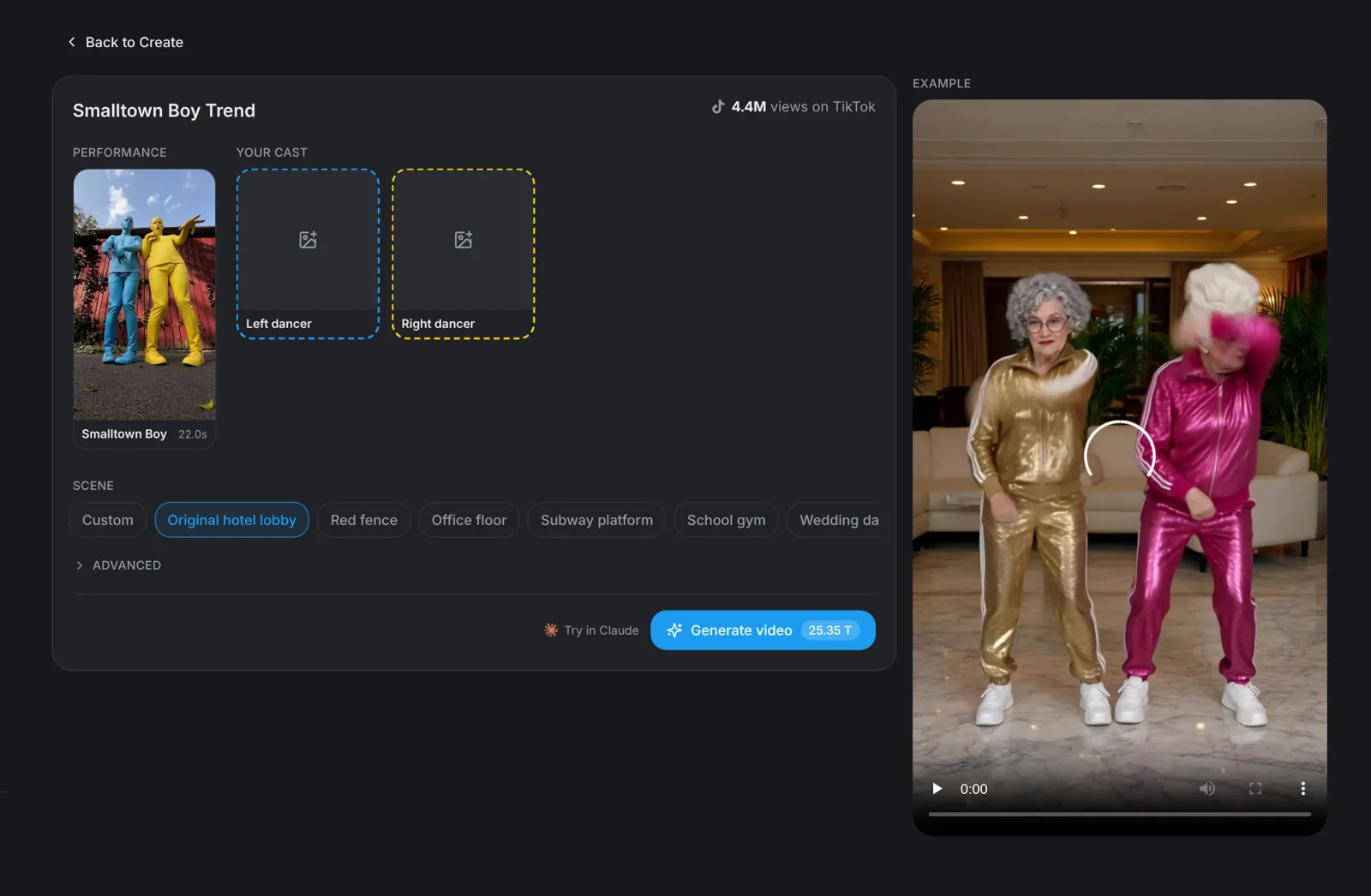
Go to aicut.pro and open the Smalltown Boy Trend template. The page already holds the original performance, shows how many views it has on TikTok and plays an example, so there is nothing to film and no moves to learn.
Characters · Step 2
Pick your two characters
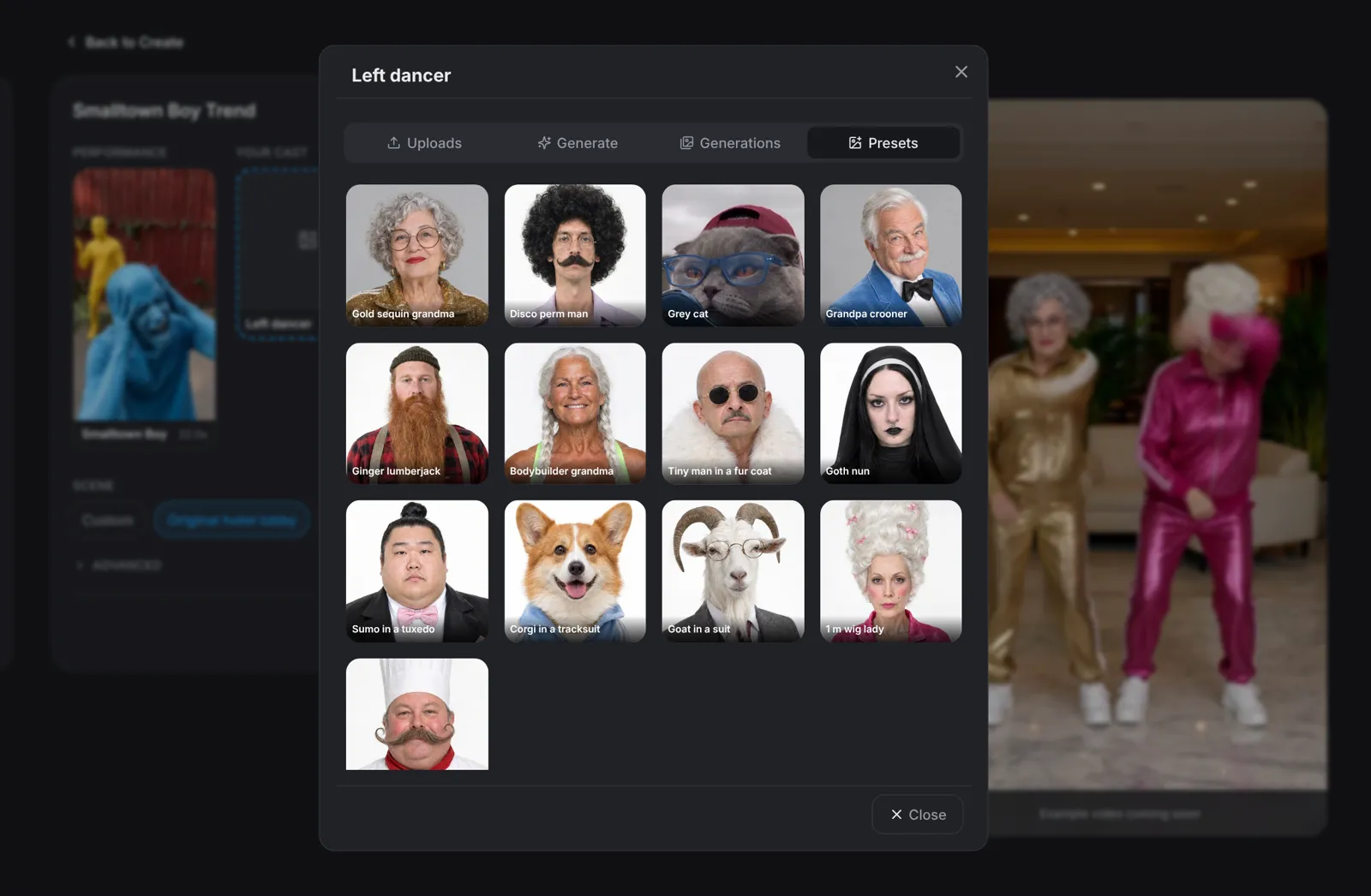
Click the Left dancer slot, then the Right dancer slot. Each one opens a picker: Presets has 13 characters, including a gold sequin grandma, a pink sequin grandma, a disco perm man and a beehive diva. Describe a new character under Generate, add a photo under Uploads, or reuse one you made earlier under Generations.
- A clear, front-facing, full-body photo works best.
- Only use photos of people who agreed to be in the video.
Scene · Step 3
Pick the scene
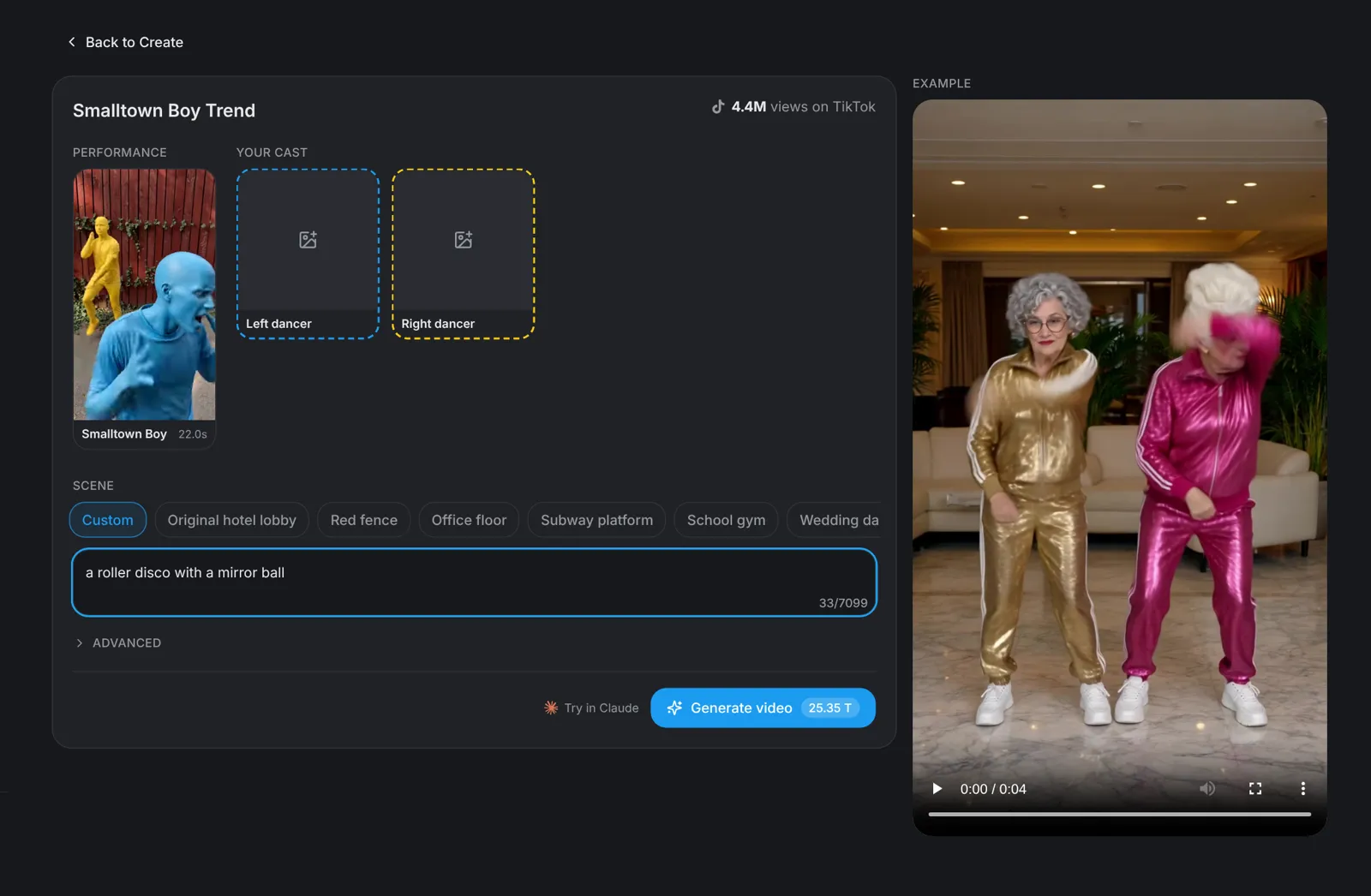
Choose where it happens: Original hotel lobby, Red fence, Office floor, Subway platform, School gym or Wedding dance floor. Pick Custom to describe any place in one line, such as a roller disco with a mirror ball. The moves and the timing stay the same in every scene.
Tip: Matching pairs work well: two grandmas in sequins, or two pets.
Generate · Step 4
Hit Generate video
Click Generate video: the button shows the price before you click. You get a vertical 9:16 video of 22 seconds in which your characters dance the Smalltown Boy routine, every move and close-up.