

How to Make a Wealthy Past AI Video
AI Trend Tutorial
Wealthy Past videos look like leaked phone footage from the crowd: a ruler from the past lives a modern billionaire life, with a supercar burnout at the pyramids, a gold jet ski on the river and cash-counting machines in the throne room. The reference clip has 11 million views on Instagram. Learn how to make your own with aicut: pick an era, add a flex or your own ruler if you like, and generate. No filming, no editing and no prompt writing.
In this guide
Era · Step 1
Pick an era
Go to aicut.pro and open the Wealthy Past template. Under Era, pick Ancient Egypt, Ancient Rome, Vikings, Medieval king, Mughal India, Aztec Empire, Samurai Japan or Wild West. The era sets the ruler, the crowd and the landmarks: a pharaoh in sunglasses with Cleopatra at his side, a Caesar in a laurel wreath, a red-bearded Viking jarl.
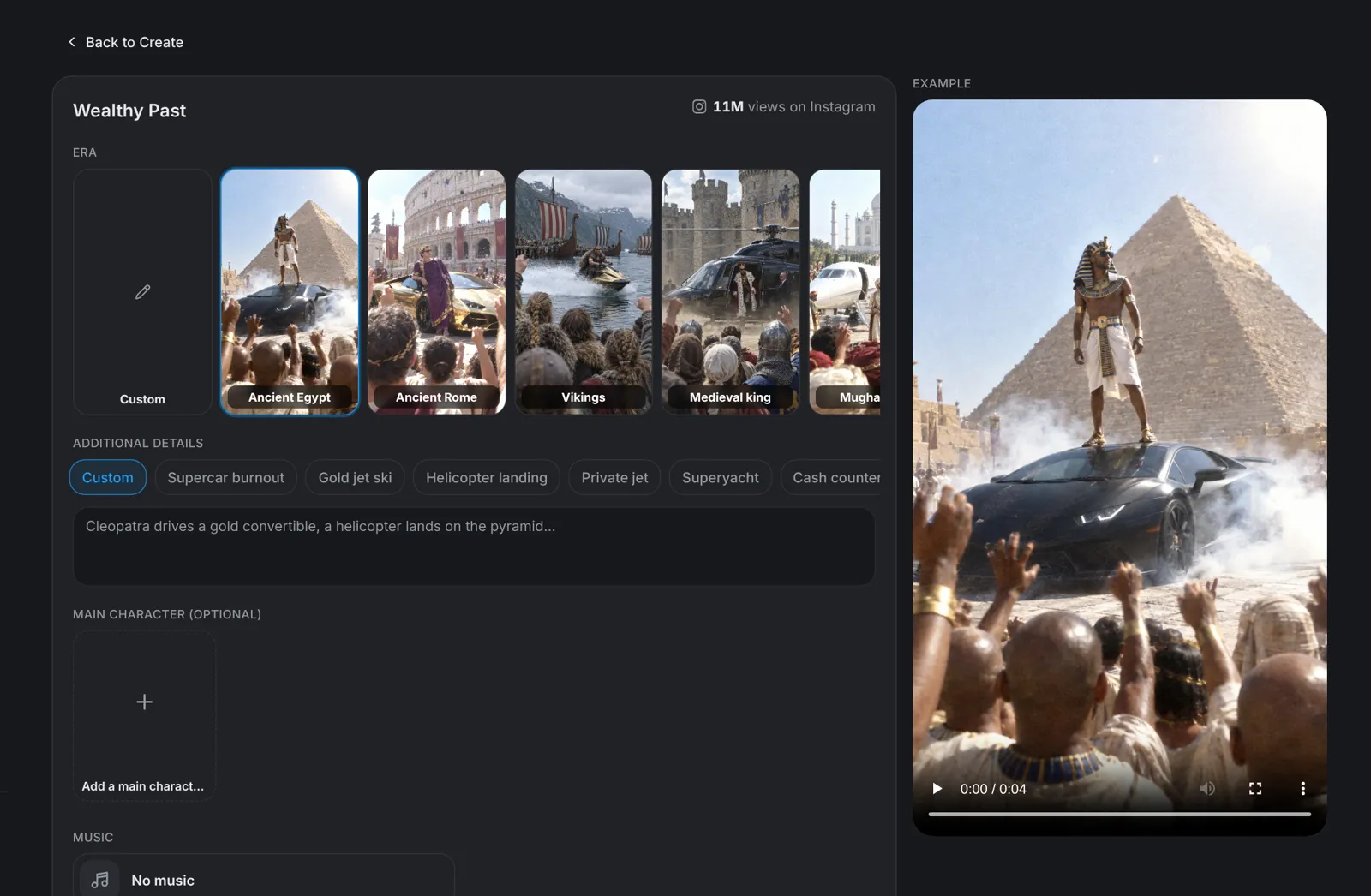
Tip: Choose Custom to type any other era and its ruler.
Ruler · Step 2
Keep the era's ruler or cast your own
Main character (optional) is the ruler of your video, with the same face and outfit in every shot. Leave it empty and aicut uses the era's ruler. To set one, click Add a main character and pick one of the nine presets under Presets, such as Pharaoh, Cleopatra, Caesar or Shogun, or upload a picture, use one you made before or generate a new one. Once it is set, Second character (optional) appears for a companion at the ruler's side.
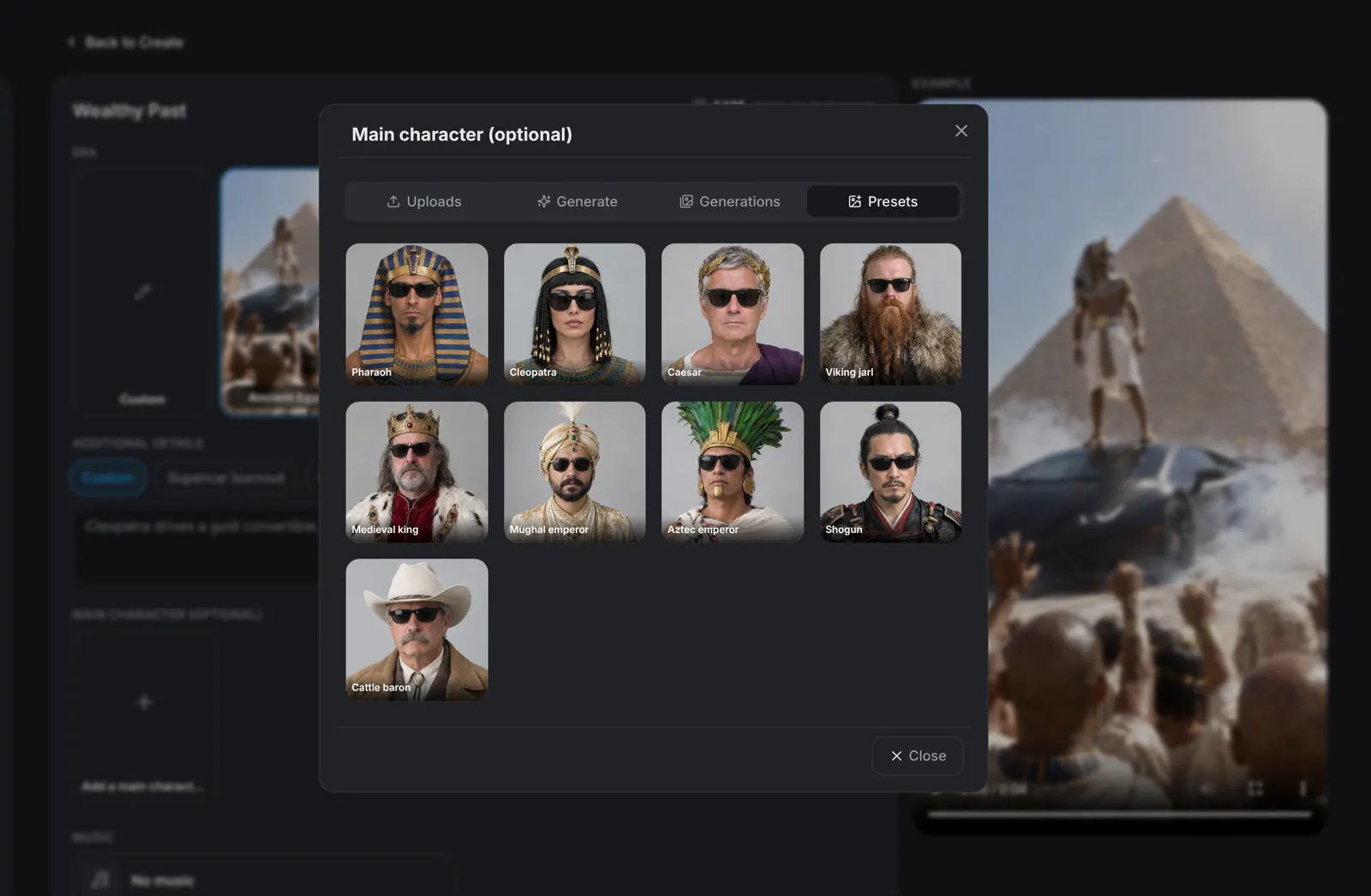
Tip: The joke is the same ruler doing ever more absurd things, so pick the character before anything else.
Details · Step 3
Add a flex and pick the music
Additional details is optional. Type a flex, a place or a moment, or tap a suggestion such as Supercar burnout, Gold jet ski, Helicopter landing or Private jet to fill the box. Music starts on No music: pick the trap beat for your era or Pharaoh Money (long) under Presets, or upload your own track. Under Advanced, choose 10 to 60 seconds in steps of 10 and 480p or 720p; the format is 9:16.
- Every 10 seconds holds three fast shots with hard cuts, each filmed as if by a different bystander in the crowd.
- The music plays under the whole video, across every cut.
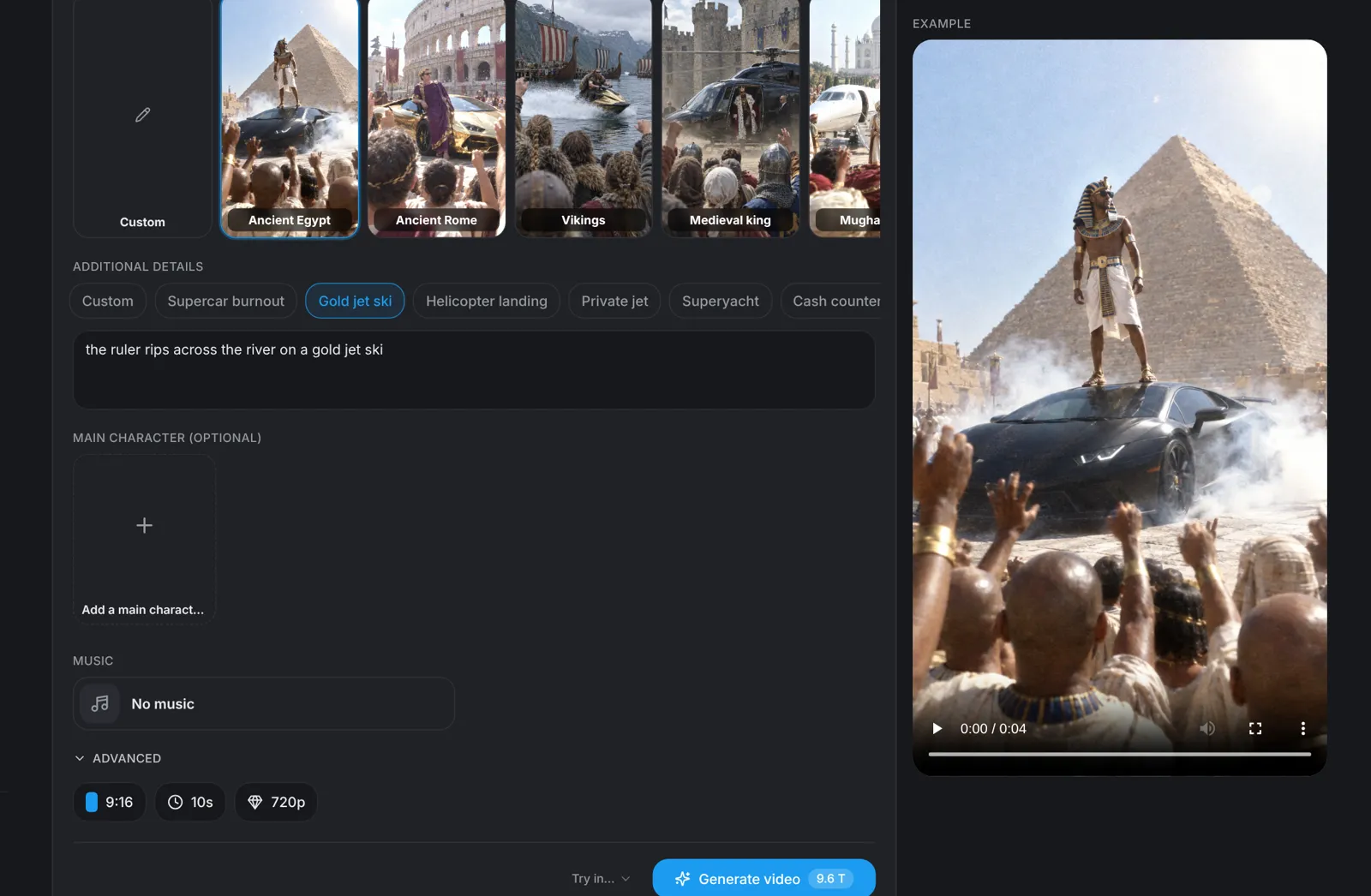
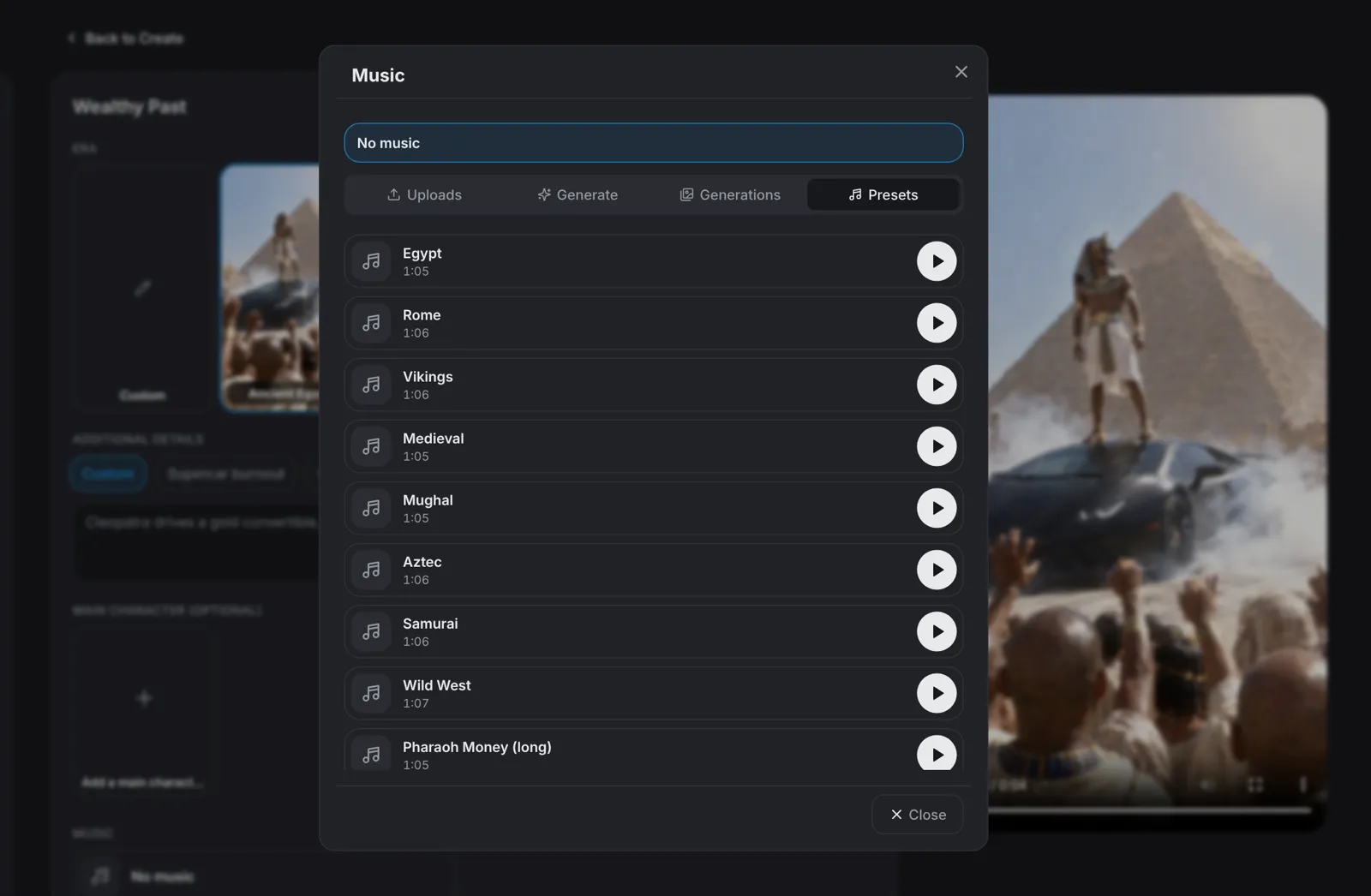
Tip: Save the biggest flex for last. Our Wealthy Past guide below covers why the footage should look leaked, not cinematic.
Generate · Step 4
Hit Generate video
Click Generate video: the button shows the price in tokens before you click, 9.6 tokens for the default 10 seconds at 720p. aicut writes the scenes for your era, films every 10 seconds as three crowd phone shots with hard cuts and puts them together in 9:16, with your track under the whole video if you picked one.