

How to Make an AI POV Day in the Life Video

AI Trend Tutorial

AI POV Day in the Life videos put you behind the eyes of someone from another century: you wake up as a Viking or a pyramid builder at dawn, work, eat and pray with the people of that time, and lie down to sleep at night, all in first person, with nobody talking to the camera. The reference clip has 44.5 million views on TikTok. Learn how to make your own with aicut: pick an era or a character, keep its music or change it, and generate. No filming, no editing and no prompt writing.

In this guide

Era · Step 1

Pick an era or a character

Go to aicut.pro and open the AI POV Day in the Life template. Under Era or character, pick Viking, Pyramid builder, Roman legionary, Samurai, Medieval knight, Aztec warrior, Titanic stoker or Plague doctor. The pick sets who you wake up as, and when and where: a Viking warrior in a Norse fjord village in 850 AD, a stone hauler at the Great Pyramid of Giza in 2560 BCE, a stoker in the boiler rooms of the Titanic in April 1912.
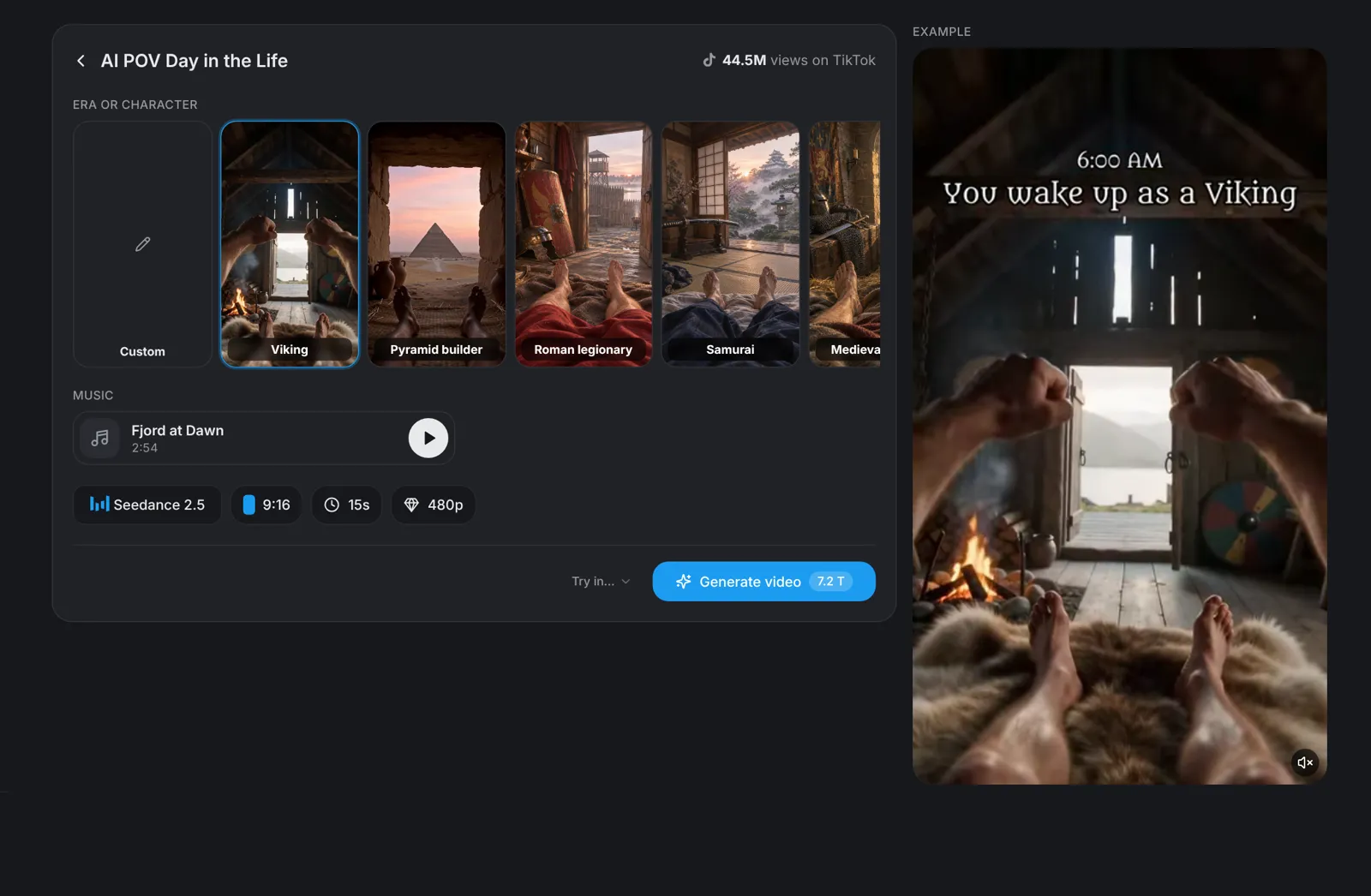
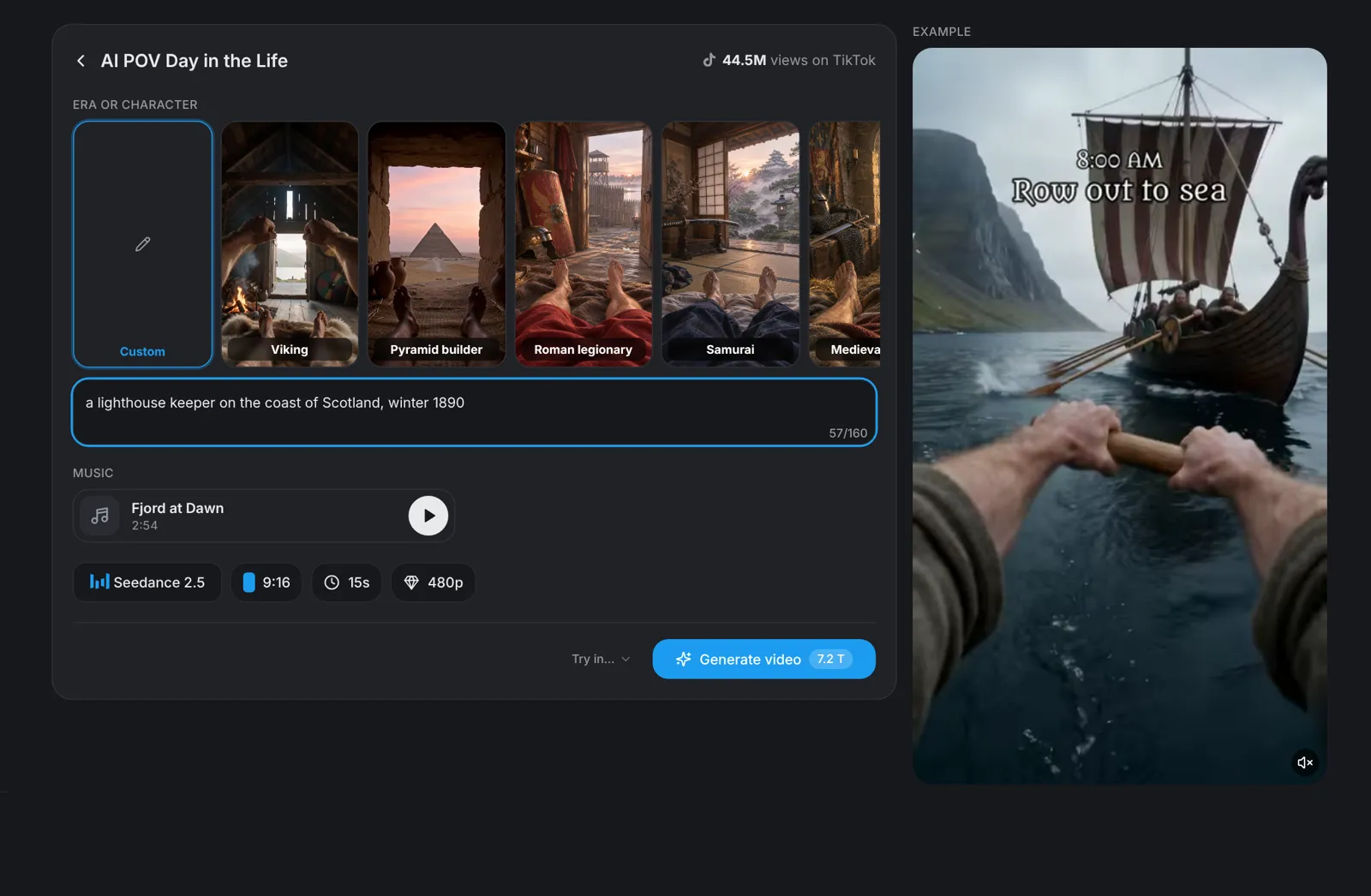
Tip: Choose Custom to type your own person, place and year, such as a samurai in 1600.

Music · Step 2

Keep the era's track or pick another

Music follows your pick: each era brings its own track, such as Fjord at Dawn for the Viking or Sands of Giza for the Pyramid builder. Click the track to change it: pick another of the eight tracks under Presets, upload your own, use one you made before, or choose No music.

  • The music plays quietly under the day's own sound: footsteps, creaking rope, crackling fire and crickets at night.
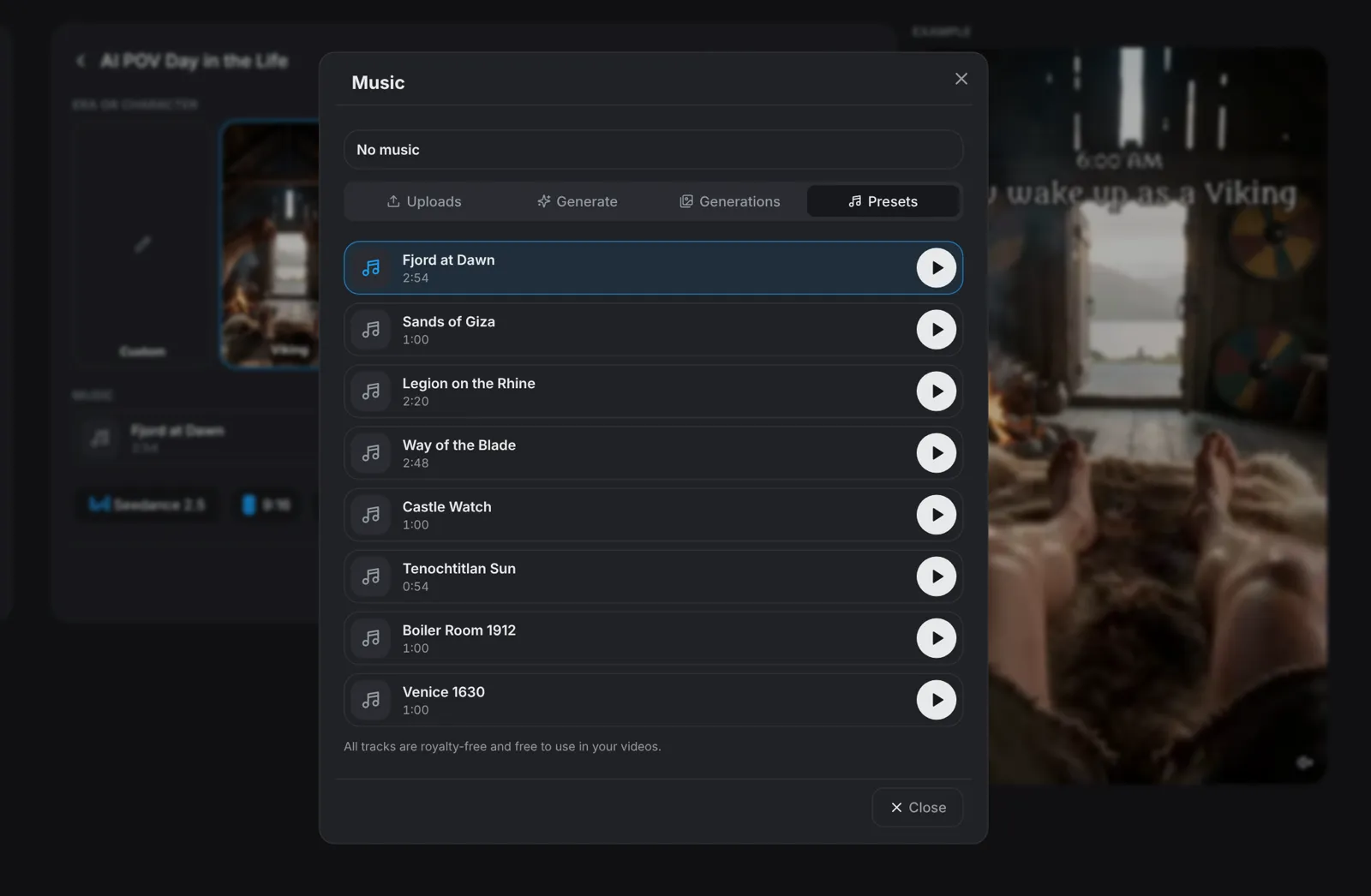
The Music picker open on Presets, with the eight era tracks

Settings · Step 3

Choose the model, the length and the quality

Below the form, Seedance 2.5 is picked. Click it to switch to Seedance 2.5 Flash or Kling 4; each shows its price before you choose. Set 15, 30, 45 or 60 seconds and 480p or 720p; the default format is 9:16.

  • Every 15 seconds holds five first-person shots with hard cuts, about three seconds each.
  • The day runs in clock order: the first shot is waking up at dawn, the last is lying down to sleep at night.

Tip: Every shot shows your own hands, arms or feet, so the viewer always sees the day through your eyes.

Generate · Step 4

Hit Generate video

Click Generate video: the button shows the price in tokens before you click, 7.2 tokens for the default 15 seconds at 480p with Seedance 2.5. aicut writes the day for your era, films every 15 seconds as five first-person shots with hard cuts and puts them together in 9:16, with your track under the whole video if you picked one.

Frequently asked questions

What is an AI POV Day in the Life video?

A short vertical reel filmed through the eyes of one person from another time: you wake up at dawn, eat, work with your own hands, live one moment of danger or height and one ritual of that culture, and lie down to sleep at night. Nobody talks to the camera and nothing is explained: the day is the story. The reference clip, POV: You wake up as a Pyramid Builder, has 44.5 million views on TikTok.

How much does it cost?

You pay tokens only when you click Generate video, and the button shows the price first: 7.2 tokens for 15 seconds at 480p with Seedance 2.5. It depends on the model, the length and the resolution.

How long is the video?

15, 30, 45 or 60 seconds. Every 15 seconds holds five shots, so a 60 second video has twenty. The video is 9:16 at 480p or 720p.

Can I use an era that is not on the list?

Yes. Choose Custom under Era or character and type a person, a place and a year, such as a samurai in 1600. aicut shows the clothes, tools, food and buildings of that time and place, with no modern objects.

Which music can I use?

Under Presets there are eight tracks, one per era, and each era picks its own. They are royalty-free and free to use in your videos. You can also upload your own track, use one you made before, or keep No music. The day's own sound plays either way.

Does it show a real or famous person?

No. You are an ordinary person of that time, never a real or famous one, and there is no narration, dialogue or on-screen text.

More guides

Recreate Any Viral TikTok AI VideoHow Much Does an AI Video Cost?Post Daily on TikTok with AIMake Your First AI VideoAuto Post AI Videos on AutopilotMake AI Videos That Get Views and FollowersNever Run Out of Video IdeasMake the Viral Impossible Slide AI VideoMake the Viral Jean Phil Trend AI VideoMake the Viral Özil Goal Trend AI VideoMake At-Home UGC Ads with AIMake Before-and-After UGC Ads with AIMake Delivery UGC Ads with AIMake Review UGC Ads with AIMake Shopping UGC Ads with AIMake Try-On UGC Ads with AIMake Tutorial UGC Ads with AIMake Unboxing UGC Ads with AIMake the Viral I Wanna Love You Trend AI VideoMake the Viral Oouuch Trend AI VideoMake the Viral Card Declined Trend AI VideoMake the Viral Hotel Lobby Trend AI VideoMake the Viral Money Spread Trend AI VideoMake the Viral Smalltown Boy Trend AI VideoMake the Viral Private Property Trend AI VideoMake the Viral Get a Job Trend AI VideoMake the Viral Car Jump Trend AI VideoMake the Viral Toc Toc Trend AI VideoMake the Viral Doja Trend AI VideoMake a Modern Gadgets in History AI VideoMake the Viral Halloween Walk-In AI VideoMake the Viral Toc Toc Group Trend AI VideoMake the Viral Walk It Talk It Trend AI VideoMake the Viral Mi Chico Trend AI VideoMake the Viral Car Dance Trend AI VideoMake the Viral Middle Finger Dunk Trend AI VideoMake What-If Videos with Explainer StudioMake AI Presenter Reels with Shorts StudioMake an AI Music Video From Any SongMake a Wealthy Past AI VideoMake a Modern Warfare in History AI VideoMake a PS 2 Character AI Video