

How to Make an AI Short Drama
AI Tool Tutorial
Short dramas turns a one-line idea or your own script into a short drama with speaking characters, then continues it as a series with the same cast. Learn how to make one with aicut: write the script, analyze it, make the cast and the places, generate the episode and continue with Next part.
In this guide
Idea · Step 1
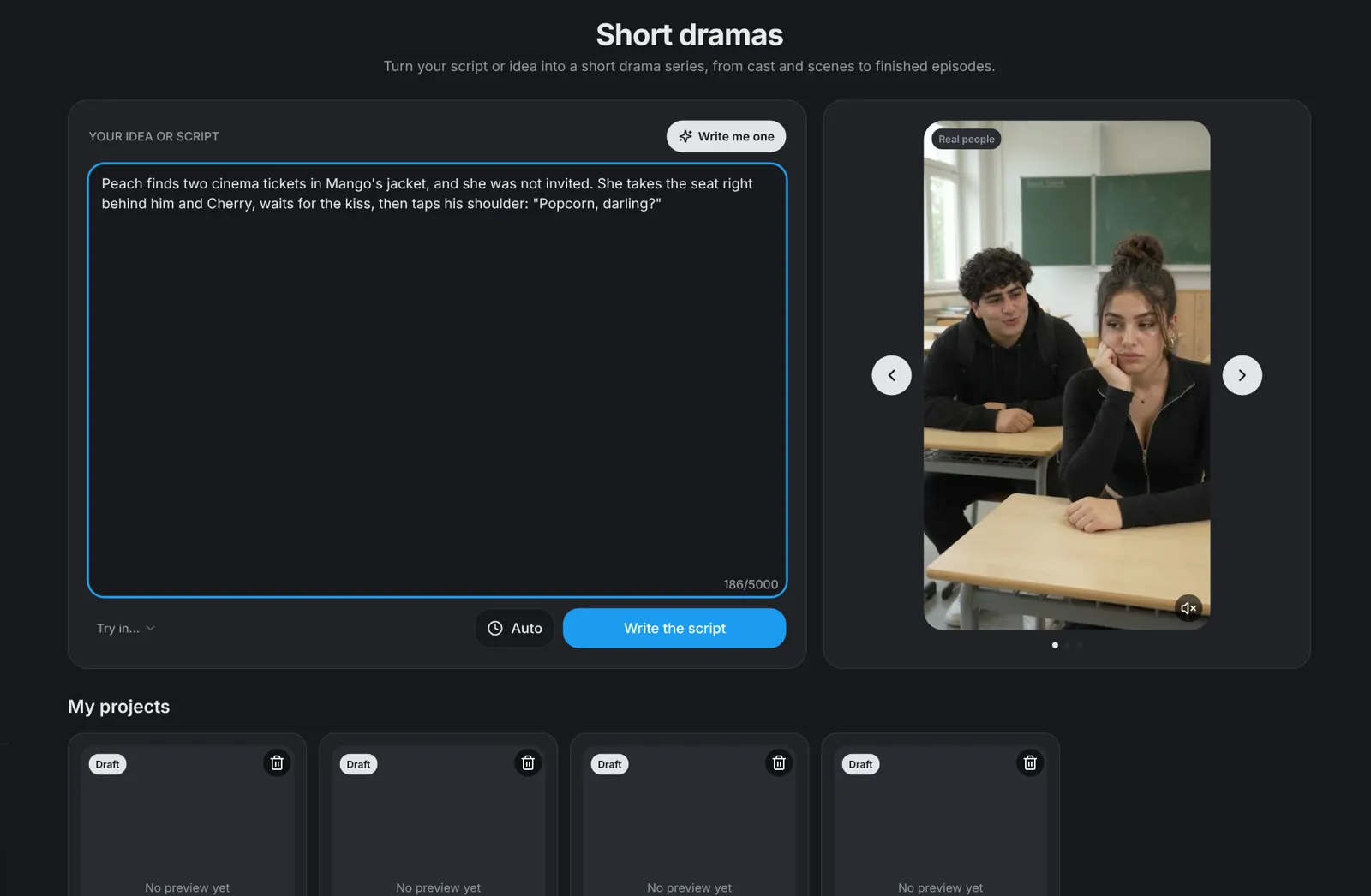
Type your idea or paste a script
Open Short dramas under Create. Type your idea in Your idea or script, or paste a finished script, then press Write the script. Writing the script is free and takes about a minute. Beside the button, choose the film's length: Auto, where the writer decides, or 30, 45, 60 or 90 seconds. No idea yet? Write me one fills the box with a ready drama idea, drawn from the stories people ask for most: cheating, comedy, the overlooked one who wins, romance and more.
- An idea plays best when the lead speaks and the twist is said out loud.
- Three example films beside the box, each with a sound button, show what comes out. My projects lists every drama you started.
Script · Step 2
Edit the script as text
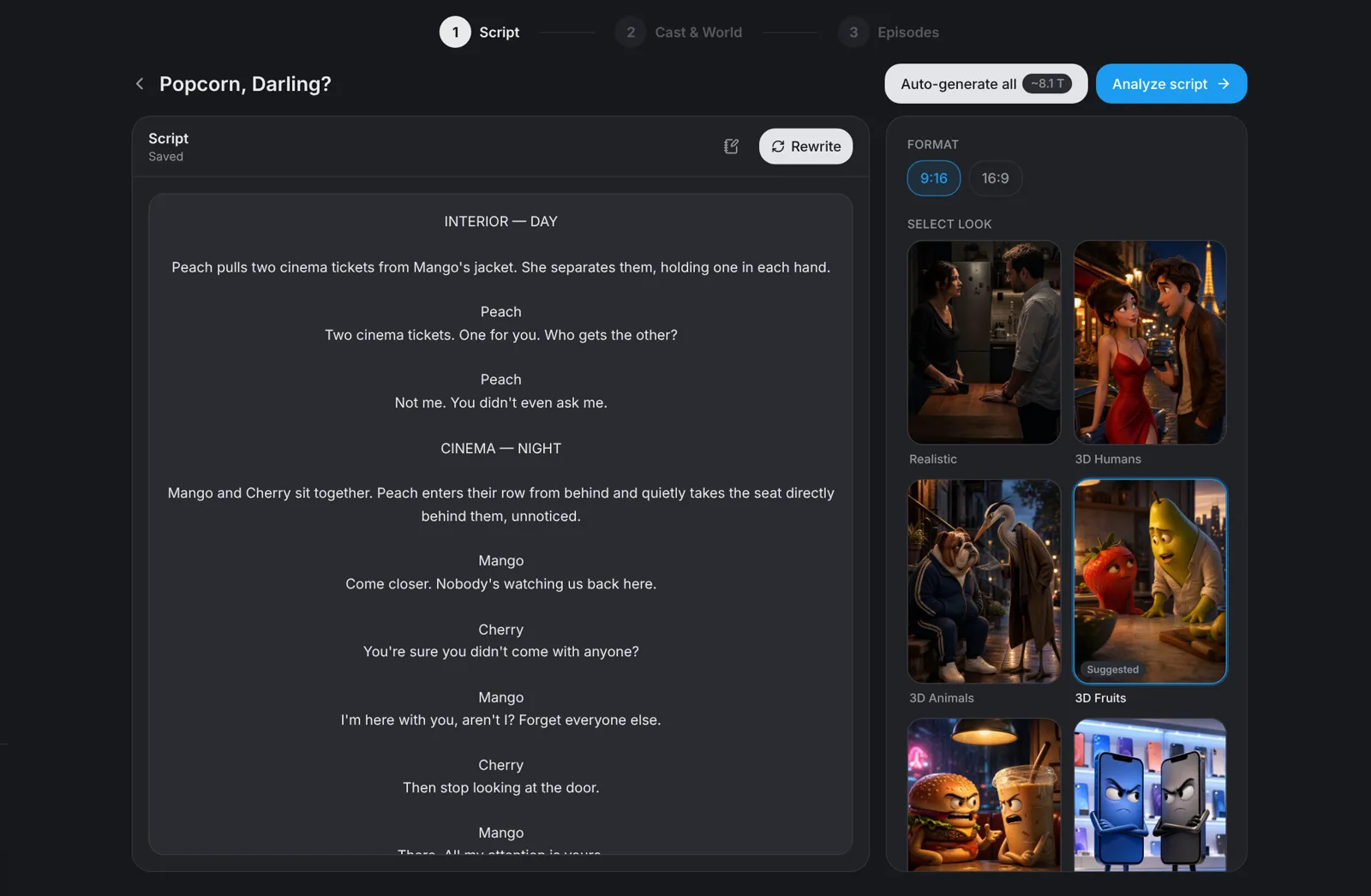
The script opens as one text you edit in place: change a line, add one or delete one, and it saves as you type. Rewrite writes it again; add a note such as a sadder ending, choose another length, or leave both as they are. Notes from the writer say what was changed or left out, for example music, which is not made here.
- A pasted script keeps its scenes and its lines.
Analyze · Step 3
Pick the look and format, then Analyze script
Beside the script, choose the look (Realistic, 3D Humans, 3D Animals, 3D Fruits, 3D Food, 3D Objects, Claymation or Anime; the writer marks the one it suggests), and the format (9:16 or 16:9). Press Analyze script: it is free, finds the people, places and props and plans one clip per scene. Cast & World then opens.
- Auto-generate all asks once with the full price, then makes the pictures and the film without another stop.
- A change to the script or the settings after the analysis is marked, and the next Analyze script plans it again.
Cast & World · Step 4
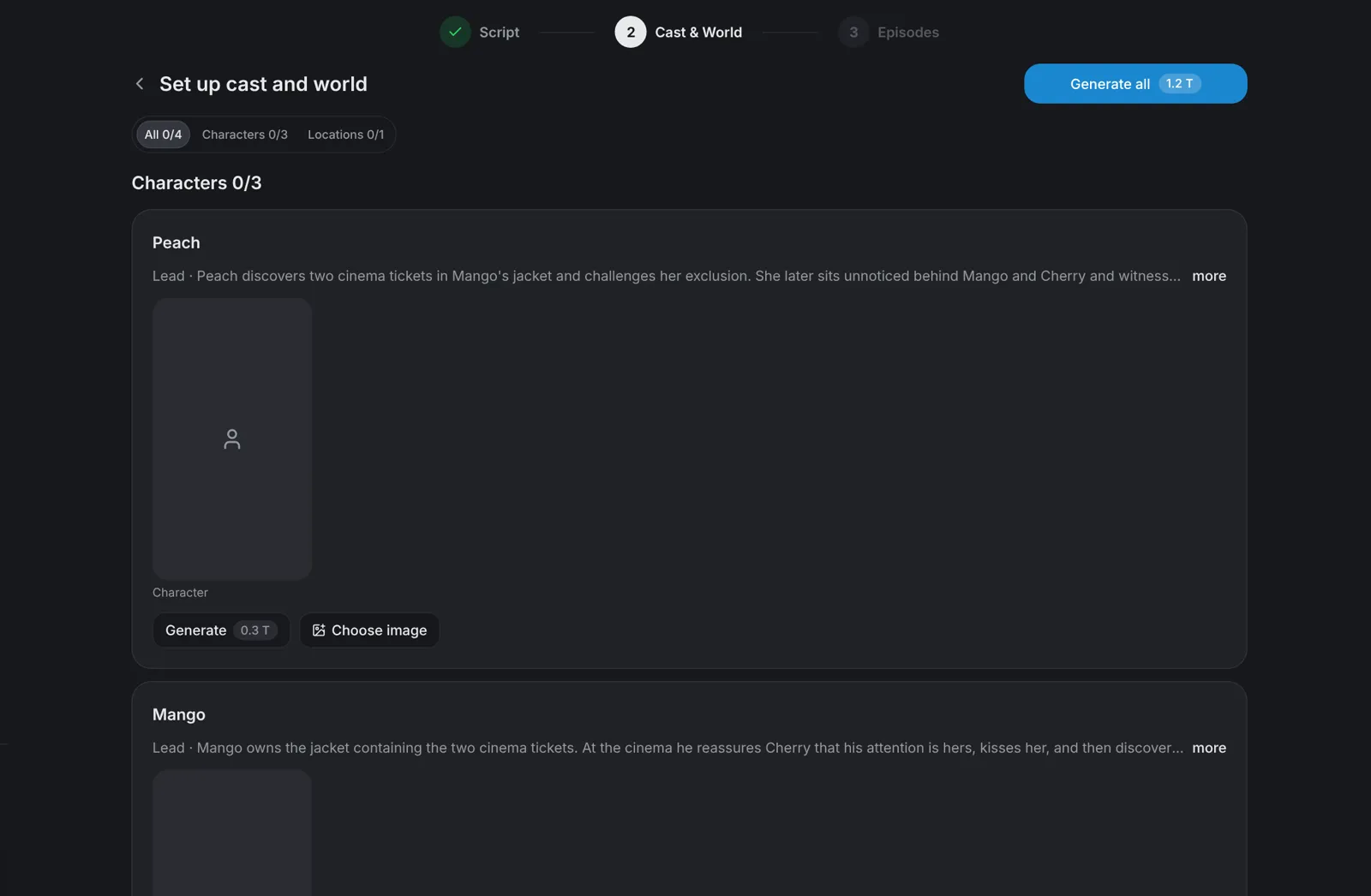
Make the cast, the places and the props
Cast & World lists every character, location and prop. Generate all makes all their pictures, one full-body picture for each character, or press Generate on one card to make only that picture. The price is on the button before anything is made. Not happy with one picture? Regenerate it and say what should be different.
- Upload your own photo or use a saved character instead of a generated face. Use only people who agreed to it.
- Take a place or a prop out of the film from its card's menu, and put it back the same way.
Episodes · Step 5
Generate the episode
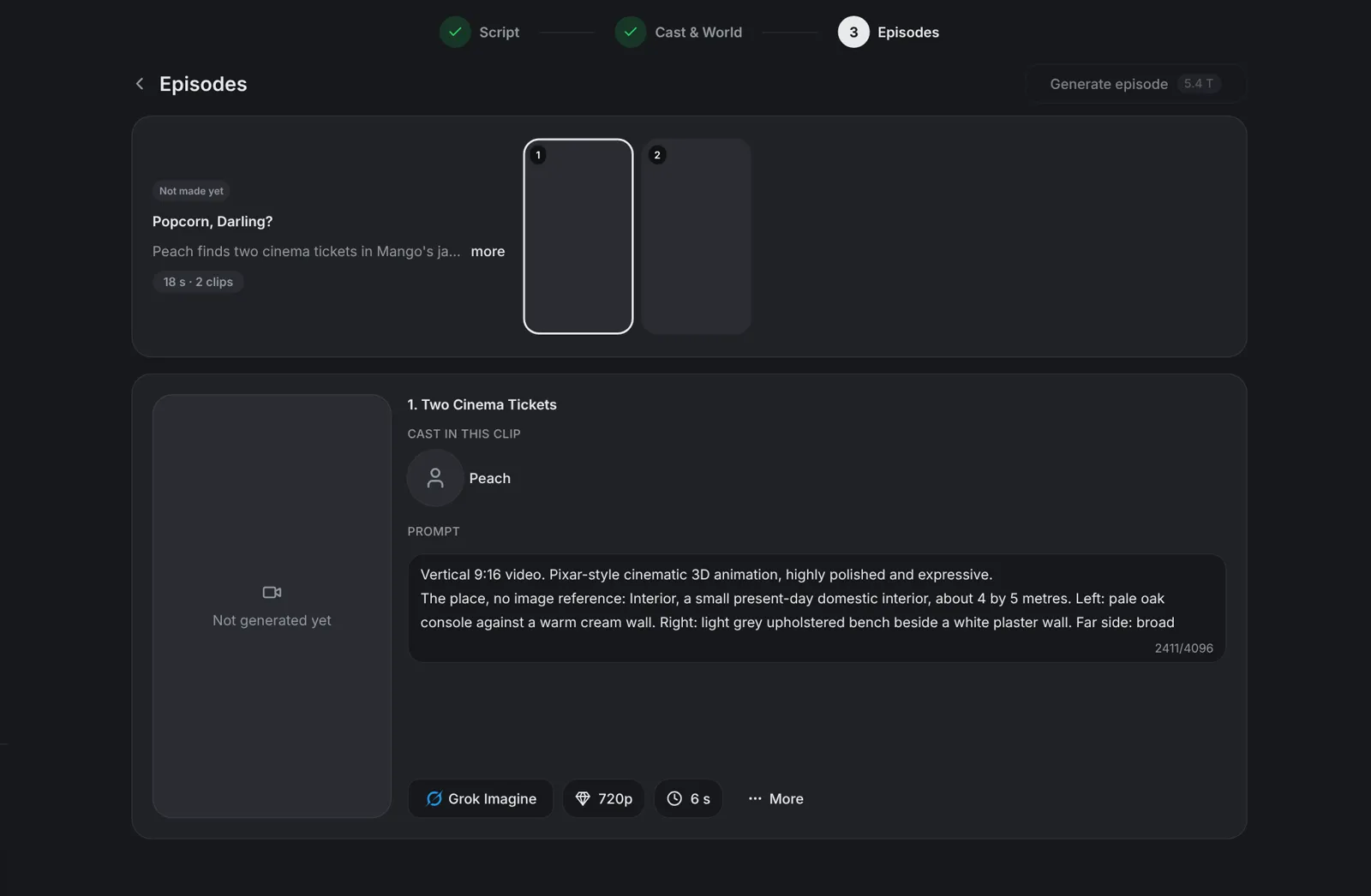
Continue to episodes shows the episode with its clips. Generate episode makes every clip with sound and joins them into the film; its price is on the button. Each clip has its own video model, resolution and length, the models shown with their price a second; Grok Imagine is the default, and clips of different models are joined into one film. Open a clip to change its prompt, regenerate it or remove it from the film, and a new film is joined once the clip is done. When the film is ready, play it, download it or open it in the video editor.
- Each clip is up to 15 seconds long. From an idea, the writer aims for the length you choose on the start page (30, 45, 60 or 90 seconds); on Auto it chooses the length itself.
Next part · Step 6
Continue the story with Next part
Once the film is ready, press Next part. aicut writes the next episode from where the story ended, with the same characters, and their pictures carry over at no charge, so the faces stay the same. Edit and analyze it like the first part, then generate it.
- A part with a next part stays as it is, so the series stays in order.
AI assistant · Step 7
Or make it from Claude
Beside Write the script, open Try in... and choose Claude: claude.ai opens with your idea. With the aicut MCP connected once, Claude writes the script, casts it and films it with aicut's drama tools, and continues it with a next part. Claude Code, Codex, Cursor and Grok work the same way.