

How to Clip Twitch Streams into Shorts with Stream Clipper

AI Tool Tutorial

Stream Clipper turns a Twitch VOD into up to 10 vertical clips of the stream's best moments, with the facecam stacked on top, captions and a title card. Paste the VOD link, pick Claude or another agent, and it finds the loudest moments, reads what was said and cuts the clips for you.

In this guide

Open · Step 1

Open Stream Clipper and connect your agent

Go to aicut.pro and open Stream Clipper under Create. Your agent does the clipping with aicut's tools, so connect them once: in Claude, open Settings, then Connectors, choose Add custom connector, name it aicut and paste https://mcp.aicut.pro/mcp, then sign in with your aicut account.

  • The gallery shows real clips cut from one 10 hour GTA 6 stream.
  • Connecting is free. A run spends tokens from your normal aicut balance.
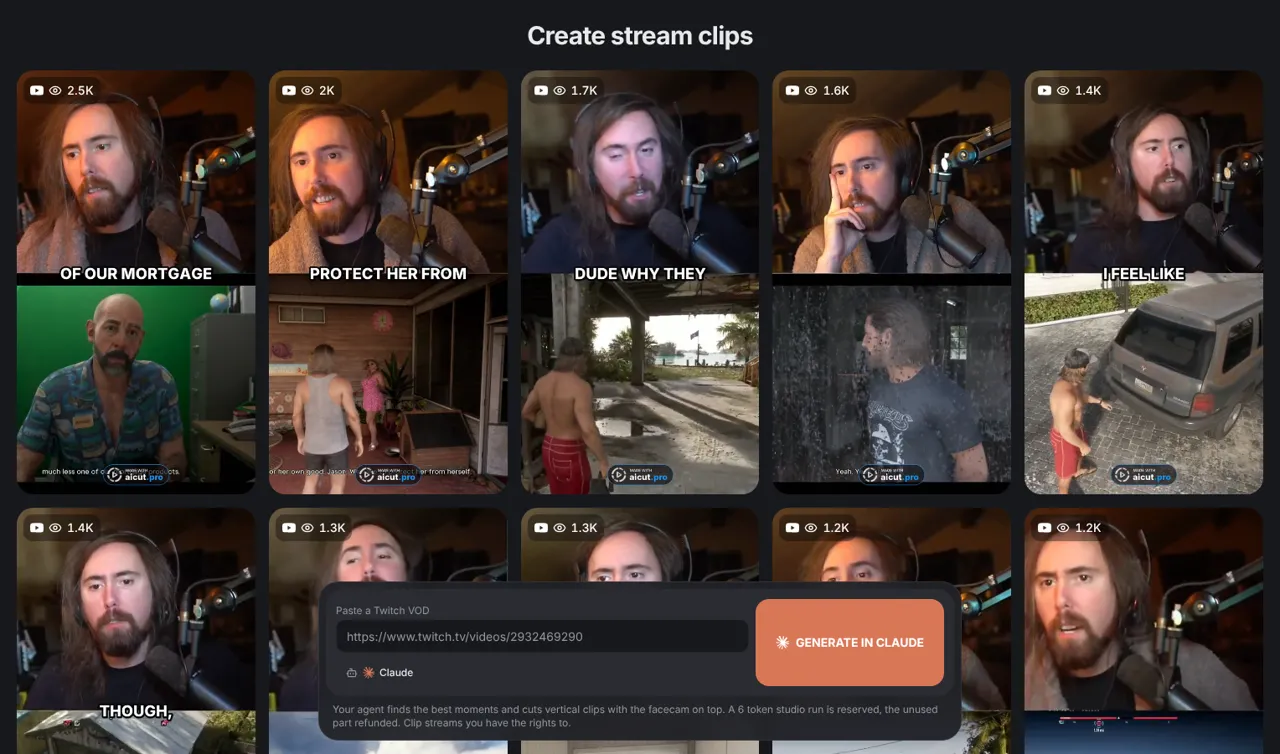
The Stream Clipper page with the example clip gallery and the VOD link box at the bottom
Open Stream Clipper

Link · Step 2

Paste the Twitch VOD link

Open the stream's past broadcast on Twitch and copy its link, which looks like twitch.tv/videos/2932469290. Paste it into the box at the bottom of the page.

  • Public VODs only: sub-only or deleted broadcasts cannot be downloaded.
  • Twitch for now. YouTube links are not supported yet.
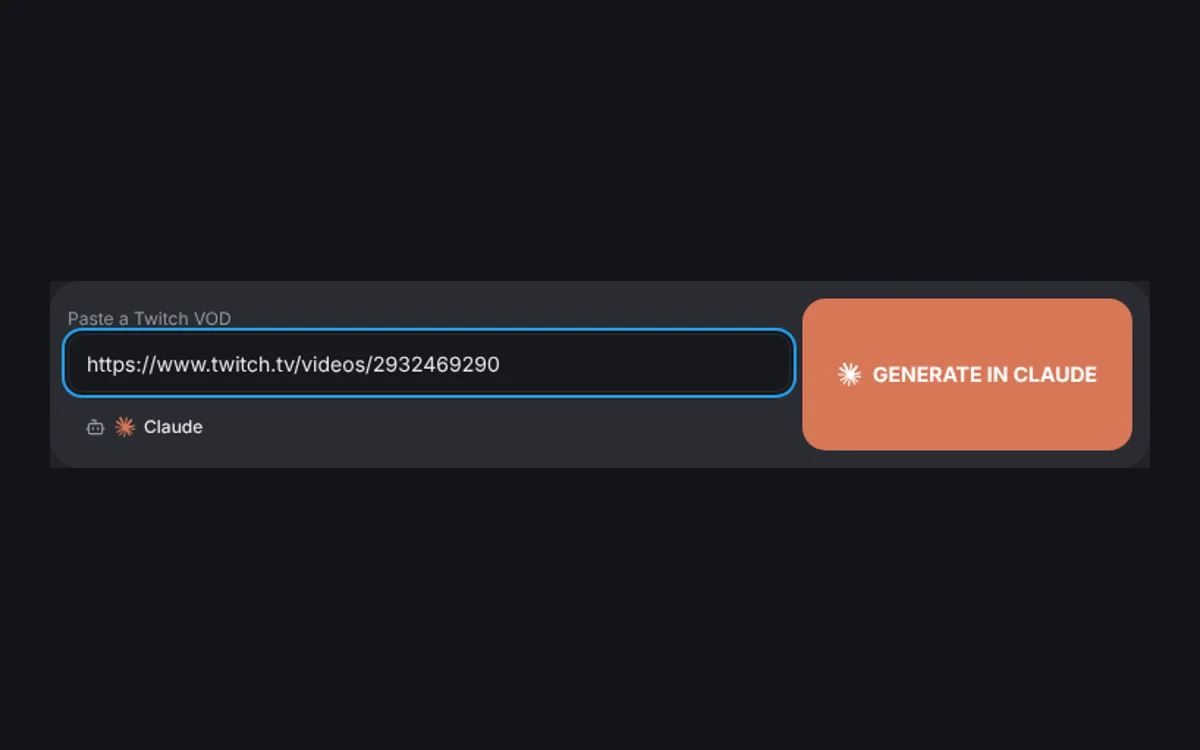
The Paste a Twitch VOD box with a Twitch link and the Generate in Claude button

Agent · Step 3

Pick your agent and press Generate

Click the agent chip under the link to choose where the clipping runs, then press Generate. A web agent opens in a new tab with the prompt typed in; a desktop app opens with it, and the prompt is copied too, in case nothing opened.

  • Send the message in your agent to start.
  • aicut's own runner and ChatGPT are coming soon.
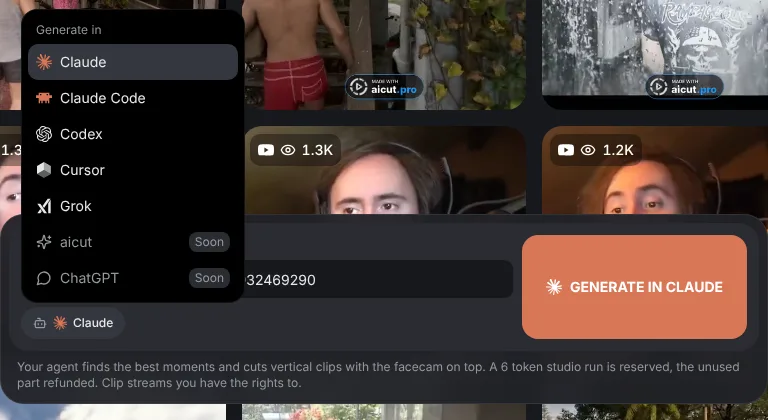
The Generate in menu with Claude, Claude Code, Codex, Cursor and Grok, and aicut and ChatGPT marked Soon

Run · Step 4

Approve the run and let it work

Your agent reserves a 6 token studio run and asks for your go. It then downloads the stream's audio, scores the loudness of every second, transcribes the loudest moments and picks the ones that stand alone and pay off inside the clip.

  • A 10 hour stream downloads in about 3 minutes and is analysed in about 3 more.
  • Each clip takes about a minute to cut.
  • The unused part of the deposit is refunded when the run ends.

Tip: When your agent asks to use the aicut sandbox, choose Always allow so the run goes straight through.

Clips · Step 5

Get your vertical clips

Every clip is 9:16 with the streamer's facecam stacked on top of the gameplay, burned-in captions and a 3 second title card. On a just-chatting stream the clip is cropped on the person instead. The clips are saved to your aicut library, ready to post.

  • Clips run 20 to 60 seconds.
  • Clip streams you have the rights to: your own, or a streamer who gave you permission.
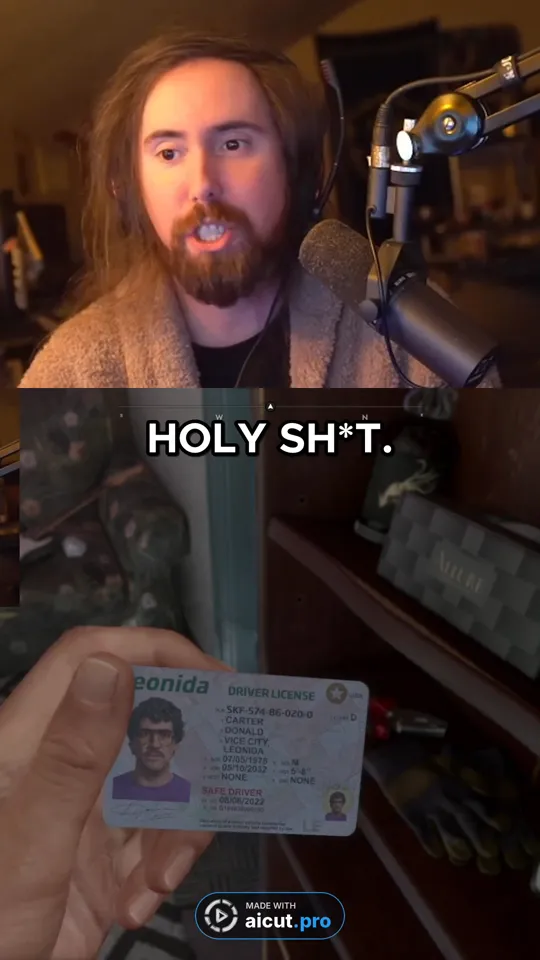
A finished vertical clip with the facecam on top, captions and the gameplay below

Frequently asked questions

What is Stream Clipper?

An aicut tool that turns a Twitch VOD into vertical clips of its best moments. Your agent finds the loudest moments, reads what was said, picks the ones worth posting and cuts each one in 9:16 with the facecam on top, captions and a title card.

How much does it cost?

Connecting your agent is free. A run reserves a 6 token studio run before it starts and the part it does not use is refunded. A long stream typically uses a few tokens of sandbox time.

Which streams can I clip?

Public Twitch VODs (twitch.tv/videos/...). Clip streams you have the rights to: your own, or a streamer who gave you permission.

How does it find the best moments?

It measures how loud every second of the stream is against the minutes around it, transcribes the biggest spikes and checks frames from each one, so the picks are the moments the streamer and chat reacted to.

Does it work without Claude?

Yes, with Claude Code, Codex, Cursor or Grok connected to aicut. aicut's own runner, which makes the clips without an agent, is coming soon.

More guides

Recreate Any Viral TikTok AI VideoHow Much Does an AI Video Cost?Post Daily on TikTok with AIMake Your First AI VideoAuto Post AI Videos on AutopilotMake AI Videos That Get Views and FollowersNever Run Out of Video IdeasMake the Viral Impossible Slide AI VideoMake the Viral Jean Phil Trend AI VideoMake the Viral Özil Goal Trend AI VideoMake At-Home UGC Ads with AIMake Before-and-After UGC Ads with AIMake Delivery UGC Ads with AIMake Review UGC Ads with AIMake Shopping UGC Ads with AIMake Try-On UGC Ads with AIMake Tutorial UGC Ads with AIMake Unboxing UGC Ads with AIMake the Viral I Wanna Love You Trend AI VideoMake the Viral Oouuch Trend AI VideoMake the Viral Card Declined Trend AI VideoMake the Viral Hotel Lobby Trend AI VideoMake the Viral Money Spread Trend AI VideoMake the Viral Smalltown Boy Trend AI VideoMake the Viral Private Property Trend AI VideoMake the Viral Get a Job Trend AI VideoMake the Viral Car Jump Trend AI VideoMake the Viral Toc Toc Trend AI VideoMake the Viral Doja Trend AI VideoMake a Modern Gadgets in History AI VideoMake the Viral Halloween Walk-In AI VideoMake the Viral Toc Toc Group Trend AI VideoMake the Viral Walk It Talk It Trend AI VideoMake the Viral Mi Chico Trend AI VideoMake the Viral Car Dance Trend AI VideoMake the Viral Middle Finger Dunk Trend AI VideoMake What-If Videos with Explainer StudioMake AI Presenter Reels with Shorts StudioMake an AI Music Video From Any SongMake a Wealthy Past AI VideoMake a Modern Warfare in History AI VideoMake a PS 2 Character AI VideoMake an AI POV Day in the Life VideoMake an AI Short Drama Series